Online university studies Template



Edit Template Offline
2. Create new page and search for id 981647
Edit Template Online
Create Awesome Websites


Free Nicepage Builder
Keywords
A Broad Course Range Meets Focused Online Learning Guidance
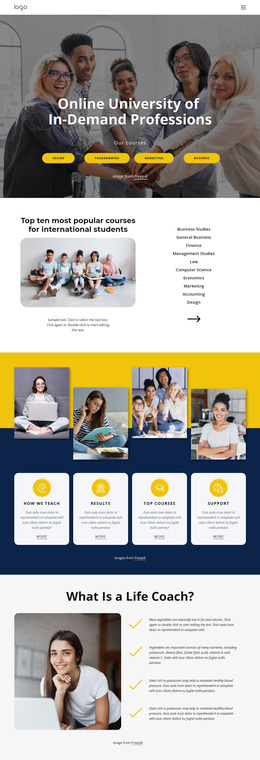
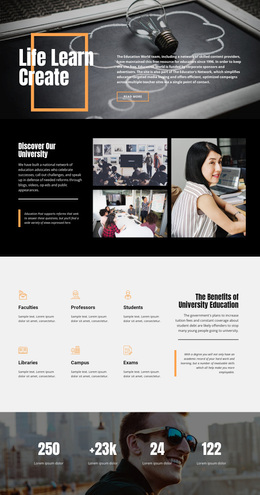
The design combines two useful qualities for an education project: it shows a wide range of subjects while giving visitors several ways to understand the learning offer. The hero begins with four accessible categories—Design, programming, Marketing, and Business—over a student photograph, making the page immediately recognizable as an online university presentation. The ten-course section then adds more specific coverage, including Business Studies, Finance, Management Studies, Law, Computer Science, Economics, Marketing, Accounting, and Design.
The template is worth considering when course selection needs more context than a catalog alone can provide. Four rounded cards identify How We Teach, Results, Top Courses, and Support, while the life-coach section explains a related educational idea through a portrait and four statements. The yellow executive-education card introduces another direction for the content, so the page can speak to both general learners and people interested in leadership-oriented study.
Three featured study-area cards for Computing & IT, Data Analytics, and Development add a focused technical grouping, and the Flexible Distance Learning section explains the online format through three numbered steps. The closing help panel is equally important: it invites a Request Clarification response through name, phone, and email fields. Together, the varied course coverage, visual study-area grouping, guidance sections, and direct inquiry point make this a distinctive option for projects that need to balance discovery with learner support.
Customize with Nicepage
Open this ready-made template in the Template Builder and customize it visually in the Nicepage editor. Replace demo content, edit page sections, and adapt the design to your project without rebuilding the template from scratch.
Start With a Ready-Made Template
Choose a Design for a New Page
Use a ready-made template as a starting point instead of creating every page from a blank canvas. When adding a new page in Nicepage, browse available designs, compare different layouts, and choose an option that already fits the general purpose and visual direction of your project.
Browse Different Page Designs
Explore Page Designs using search, thematic categories, Design Sets, and full-page previews. The collection includes layouts for different subjects and page purposes, making it easier to compare alternatives before selecting a design to customize.
Customize the Selected Template
After choosing a design, create the page and continue editing it visually in Nicepage. Replace the demo content, adjust images, typography, colors, sections, and other elements, and adapt the ready-made layout to your own content instead of rebuilding the design from the beginning.
Explore More Design Directions
If the first option does not match your project closely enough, return to the design collection and compare other templates before committing to a layout. This makes the template library useful not only for faster page creation, but also for exploring different visual approaches and finding a suitable starting point for a new project.
This workflow gives you access to a broad collection of ready-made designs that can be selected, compared, and customized according to the needs of each new page or project.