Challenge your scientific knowledge Template


Edit Template Offline
2. Create new page and search for id 6533203
Edit Template Online
Create Awesome Websites


Free Nicepage Builder
Keywords
Science, Categories, and Quiz Collections Define the Choice
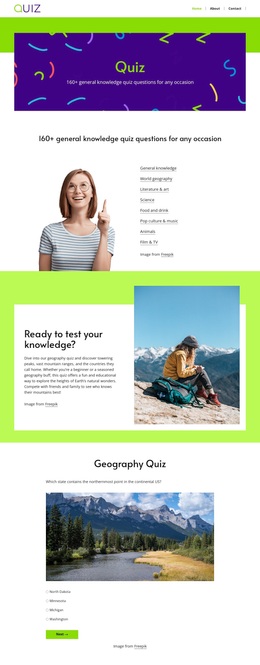
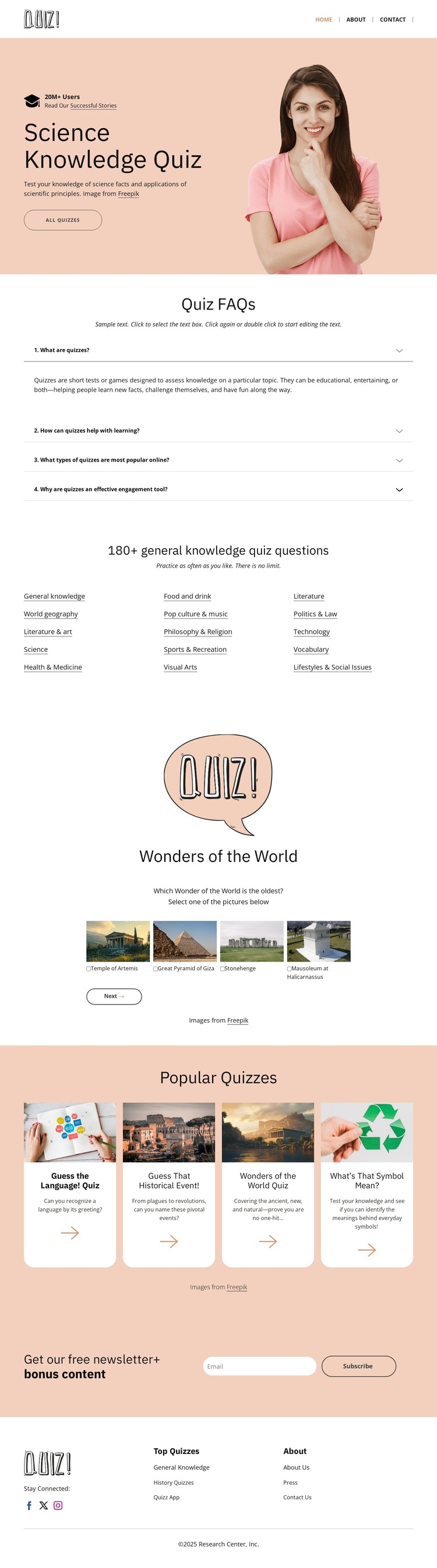
The featured Science Knowledge Quiz gives this design a recognizable subject immediately, but its strongest distinction comes from how the page expands that subject into a wider knowledge library. The Quiz FAQs establish an explanatory layer, helping the page address common questions before visitors choose a topic. Below that, the general knowledge directory presents multiple routes through categories such as World Geography, Literature and Art, Health and Medicine, History, Politics and Law, and Technology. This breadth makes the layout suitable for projects that need more than one isolated quiz.
The two card collections add visual variety to the content model. Wonders of the World uses four image-led cards to create a themed, image-forward browsing moment, while Popular Quizzes uses four rounded cards with thumbnails, descriptions, and arrow actions for a more direct selection pattern. The contrast between category links and visual cards gives the page several ways to discover content without relying on long explanatory paragraphs. It is a useful choice when a quiz project needs both subject navigation and featured recommendations.
The newsletter section completes the editorial proposition by offering free bonus content through subscription. Alongside the QUIZ brand mark, compact navigation, social links, and multi-column footer, it shows how educational material, discovery, and audience follow-up can coexist in one page design. The warm peach, white, and pale gray palette keeps the presentation approachable while preserving enough contrast for headings, cards, and calls to action.
Customize with Nicepage
Open this ready-made template in the Template Builder and customize it visually in the Nicepage editor. Replace demo content, edit page sections, and adapt the design to your project without rebuilding the template from scratch.
Start With a Ready-Made Template
Choose a Design for a New Page
Use a ready-made template as a starting point instead of creating every page from a blank canvas. When adding a new page in Nicepage, browse available designs, compare different layouts, and choose an option that already fits the general purpose and visual direction of your project.
Browse Different Page Designs
Explore Page Designs using search, thematic categories, Design Sets, and full-page previews. The collection includes layouts for different subjects and page purposes, making it easier to compare alternatives before selecting a design to customize.
Customize the Selected Template
After choosing a design, create the page and continue editing it visually in Nicepage. Replace the demo content, adjust images, typography, colors, sections, and other elements, and adapt the ready-made layout to your own content instead of rebuilding the design from the beginning.
Explore More Design Directions
If the first option does not match your project closely enough, return to the design collection and compare other templates before committing to a layout. This makes the template library useful not only for faster page creation, but also for exploring different visual approaches and finding a suitable starting point for a new project.
This workflow gives you access to a broad collection of ready-made designs that can be selected, compared, and customized according to the needs of each new page or project.