Plant care Template


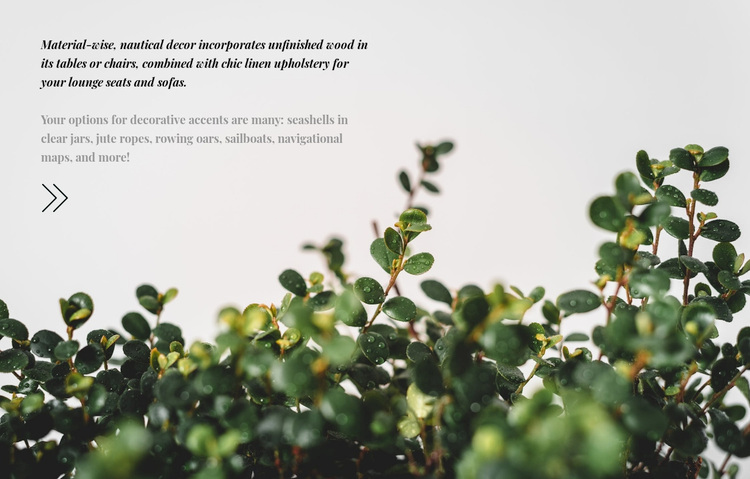
Nautical detail meets an editorial foliage composition
The block offers a clear alternative to a conventional decor section built from product cards or evenly spaced image tiles. Its descriptive copy develops one idea through two related directions: unfinished wood tables and chairs, plus linen upholstery for lounge seats and sofas; then seashells, jute ropes, rowing oars, sailboats, and navigational maps as decorative accents. That combination makes the design useful when a page needs to explain a style through materials and visual references rather than present a long list of individual offerings.
Its strongest distinguishing feature is the way the text shares the frame with the image. The paragraph sits in the upper-left, while a full-width botanical photograph spreads across the section and places muted green foliage mainly in the lower portion. Pale open space gives the copy room to breathe, dark italic serif text provides the principal emphasis, and lighter gray supporting text prevents the description from becoming visually heavy. A small outlined arrow adds a quiet graphic cue without introducing a new content area. As a section choice, this design suits projects that need an atmospheric editorial pause, a decor concept explanation, or a nature-linked transition between more structured areas. The static arrangement keeps the unusual value in its composition and subject pairing rather than in interaction.
Customize with Nicepage
Open this ready-made template in the Template Builder and customize it visually in the Nicepage editor. Replace demo content, edit page sections, and adapt the design to your project without rebuilding the template from scratch.
Edit Template Offline
2. Create a new page or select existing
3. Click Add new block, search for id 265362 and click enter
Edit Template Online
Create Awesome Websites


Free Nicepage Builder
Keywords
Start With a Ready-Made Template
Choose a Design for a New Page
Use a ready-made template as a starting point instead of creating every page from a blank canvas. When adding a new page in Nicepage, browse available designs, compare different layouts, and choose an option that already fits the general purpose and visual direction of your project.
Browse Different Page Designs
Explore Page Designs using search, thematic categories, Design Sets, and full-page previews. The collection includes layouts for different subjects and page purposes, making it easier to compare alternatives before selecting a design to customize.
Customize the Selected Template
After choosing a design, create the page and continue editing it visually in Nicepage. Replace the demo content, adjust images, typography, colors, sections, and other elements, and adapt the ready-made layout to your own content instead of rebuilding the design from the beginning.
Explore More Design Directions
If the first option does not match your project closely enough, return to the design collection and compare other templates before committing to a layout. This makes the template library useful not only for faster page creation, but also for exploring different visual approaches and finding a suitable starting point for a new project.
This workflow gives you access to a broad collection of ready-made designs that can be selected, compared, and customized according to the needs of each new page or project.