Plant Shop Template


Edit Template Offline
2. Create new page and search for id 23200
Edit Template Online
Create Awesome Websites


Free Nicepage Builder
Keywords
Plants, Workshops, and Care Knowledge Give the Design a Broader Story
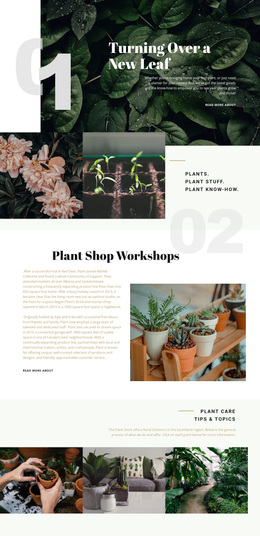
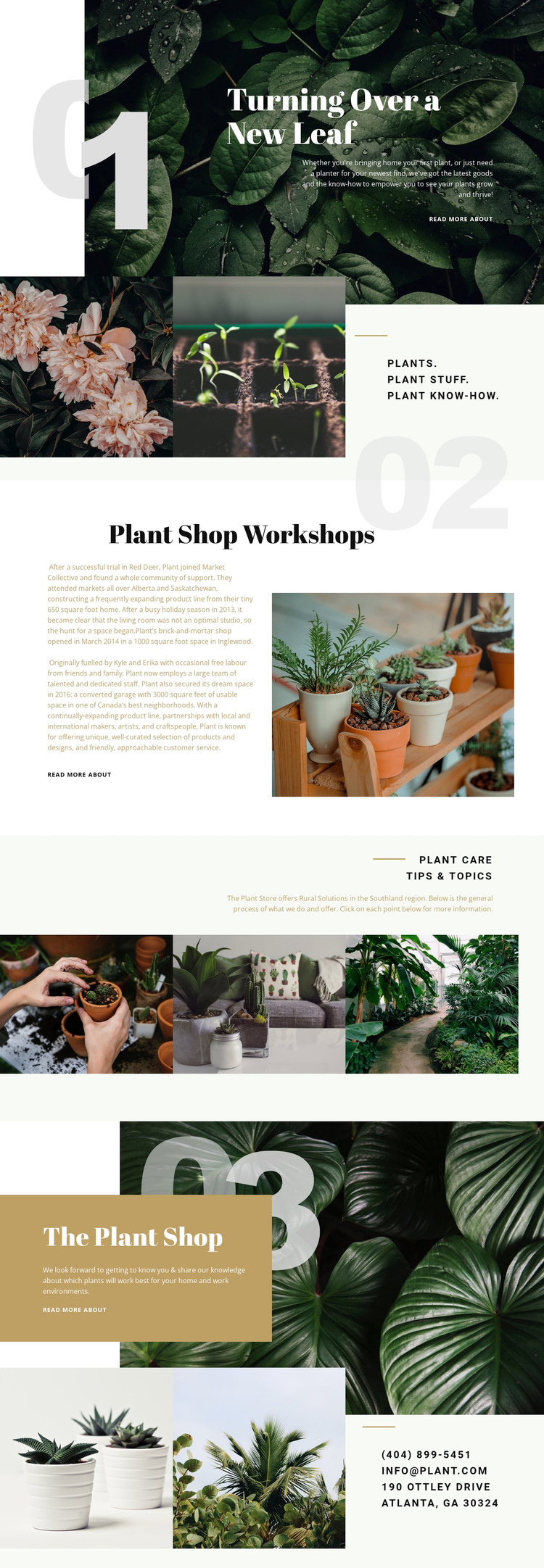
Large botanical photographs carry much of the page’s identity, but the design is not limited to image-led retail promotion. The opening “Turning Over a New Leaf” section establishes an editorial tone, and the following three-image composition makes the subject broader by pairing plants with plant stuff and plant know-how. That combination suits a project that wants to present products alongside knowledge and a recognizable point of view.
The workshop and care sections make the option more distinctive than a straightforward shop homepage. Plant shop workshops introduce a human, activity-based dimension through a split text-and-image arrangement. Plant care tips and topics then create an informational category supported by a three-image collage and concise explanatory copy. These relationships allow the page to address people who are browsing for plants, looking for supplies, or seeking guidance for homes and workplaces, without claiming specific products or workshop schedules that are not verified.
The separate Plant Shop section brings the retail focus back into view, while the final contact composition makes the page usable as a starting point for local or direct inquiries. Repeated read-more links provide clear places for deeper content. Together, the imagery, category coverage, educational emphasis, and contact ending make this a strong design option for plant businesses that need more than a basic product grid.
Customize with Nicepage
Open this ready-made template in the Template Builder and customize it visually in the Nicepage editor. Replace demo content, edit page sections, and adapt the design to your project without rebuilding the template from scratch.
Start With a Ready-Made Template
Choose a Design for a New Page
Use a ready-made template as a starting point instead of creating every page from a blank canvas. When adding a new page in Nicepage, browse available designs, compare different layouts, and choose an option that already fits the general purpose and visual direction of your project.
Browse Different Page Designs
Explore Page Designs using search, thematic categories, Design Sets, and full-page previews. The collection includes layouts for different subjects and page purposes, making it easier to compare alternatives before selecting a design to customize.
Customize the Selected Template
After choosing a design, create the page and continue editing it visually in Nicepage. Replace the demo content, adjust images, typography, colors, sections, and other elements, and adapt the ready-made layout to your own content instead of rebuilding the design from the beginning.
Explore More Design Directions
If the first option does not match your project closely enough, return to the design collection and compare other templates before committing to a layout. This makes the template library useful not only for faster page creation, but also for exploring different visual approaches and finding a suitable starting point for a new project.
This workflow gives you access to a broad collection of ready-made designs that can be selected, compared, and customized according to the needs of each new page or project.