Wildlife and nature Template


Edit Template Offline
2. Create new page and search for id 21253
Edit Template Online
Create Awesome Websites


Free Nicepage Builder
Keywords
Wildlife Collections Meet Editorial Depth in One Visual Direction
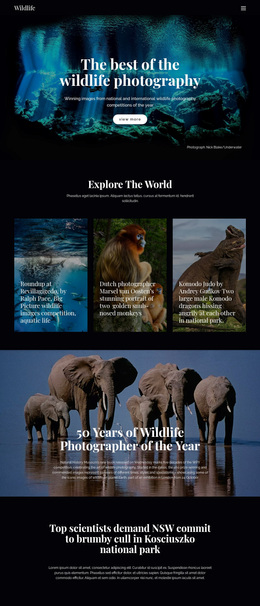
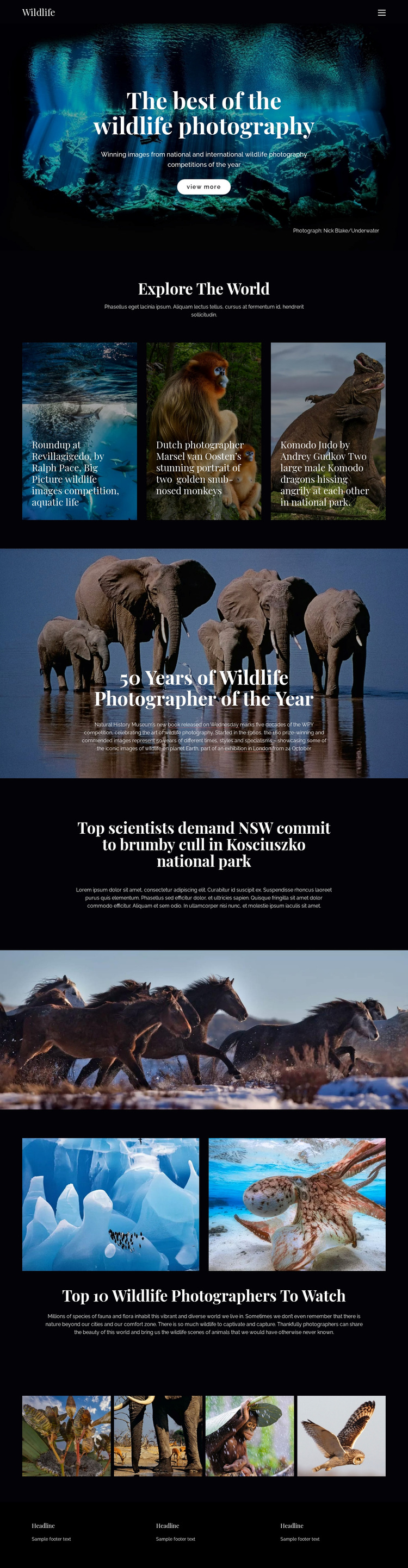
The template stands out because it does more than place wildlife photographs in a simple gallery. The opening underwater hero establishes image-led storytelling immediately, while the “Explore The World” tiles give the visitor three contrasting subjects: aquatic life, monkeys, and Komodo dragons. That combination makes the design suitable for projects where photography carries the first layer of meaning and short editorial framing guides the visitor between images.
Its strongest distinction is the change in editorial scale. The elephant section connects the visual material with the 50-year history of the Wildlife Photographer of the Year competition, references a book and an exhibition in London, and introduces a more substantial story block. The brumby feature then brings in a conservation topic tied to NSW and Kosciuszko national park. A horse photograph creates a pause before the photographer feature returns attention to people and photographic practice.
The closing four-image row reinforces the collection without repeating the hero. This blend of competition history, conservation coverage, subject variety, and photographer discovery makes the design a useful option for wildlife media, photography portfolios, or nature publications that need visual impact together with editorial context. It is chosen for its content coverage and storytelling rhythm, not merely for generic flexibility.
Customize with Nicepage
Open this ready-made template in the Template Builder and customize it visually in the Nicepage editor. Replace demo content, edit page sections, and adapt the design to your project without rebuilding the template from scratch.
Start With a Ready-Made Template
Choose a Design for a New Page
Use a ready-made template as a starting point instead of creating every page from a blank canvas. When adding a new page in Nicepage, browse available designs, compare different layouts, and choose an option that already fits the general purpose and visual direction of your project.
Browse Different Page Designs
Explore Page Designs using search, thematic categories, Design Sets, and full-page previews. The collection includes layouts for different subjects and page purposes, making it easier to compare alternatives before selecting a design to customize.
Customize the Selected Template
After choosing a design, create the page and continue editing it visually in Nicepage. Replace the demo content, adjust images, typography, colors, sections, and other elements, and adapt the ready-made layout to your own content instead of rebuilding the design from the beginning.
Explore More Design Directions
If the first option does not match your project closely enough, return to the design collection and compare other templates before committing to a layout. This makes the template library useful not only for faster page creation, but also for exploring different visual approaches and finding a suitable starting point for a new project.
This workflow gives you access to a broad collection of ready-made designs that can be selected, compared, and customized according to the needs of each new page or project.