Clean energy to save nature Template


Edit Template Offline
2. Create new page and search for id 21777
Edit Template Online
Create Awesome Websites


Free Nicepage Builder
Keywords
Nature Imagery Connects Mission, Initiatives, and Project Proof
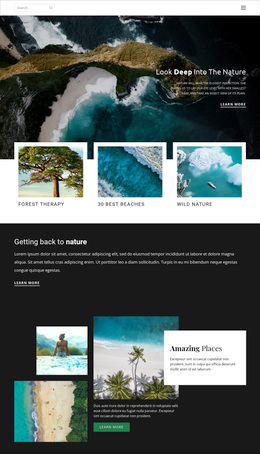
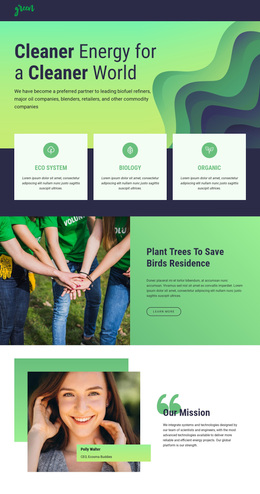
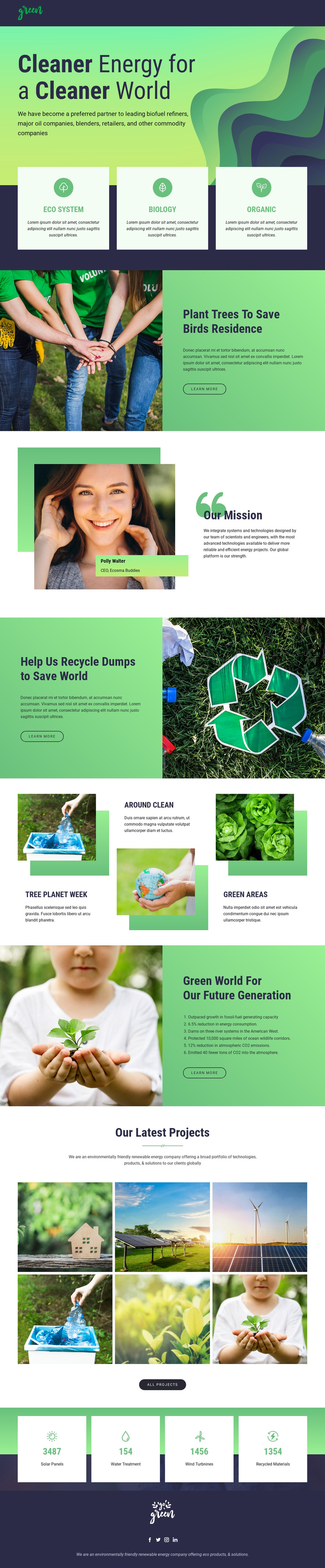
Large nature photographs carry much of the design’s meaning, beginning with the hero’s cleaner-world message and continuing through the tree-planting, recycling, and future-generation sections. This makes the template a useful choice for an environmental project that needs its subject to be understood visually as well as through explanatory text. The imagery is not isolated decoration: each major photograph is paired with a green content panel or a defined project area.
The three category cards provide a compact introduction to Eco System, Biology, and Organic, giving the page broad subject coverage before it moves into specific initiatives. “Our Mission” adds an organizational statement and portrait-led identity, while the three-item activity mosaic introduces Tree Planet Week, Around Clean, and Green Areas in a shorter format. Together, these sections allow a project to present both its overall environmental direction and several related areas of work.
The six-image “Our Latest Projects” gallery is a particularly distinctive selection reason because it turns the lower page into a visual portfolio rather than ending with general claims. Four counter cards add a separate summary layer, although the displayed solar-panel, water-treatment, wind-turbine, and recycled-material values are demo content and require verification before use. Dark navy framing, layered green shapes, rounded accents, and bold headings keep the design optimistic while preserving contrast. It suits organizations or initiatives that want a strong ecological narrative with visible project coverage instead of a text-heavy corporate layout.
Customize with Nicepage
Open this ready-made template in the Template Builder and customize it visually in the Nicepage editor. Replace demo content, edit page sections, and adapt the design to your project without rebuilding the template from scratch.
Start With a Ready-Made Template
Choose a Design for a New Page
Use a ready-made template as a starting point instead of creating every page from a blank canvas. When adding a new page in Nicepage, browse available designs, compare different layouts, and choose an option that already fits the general purpose and visual direction of your project.
Browse Different Page Designs
Explore Page Designs using search, thematic categories, Design Sets, and full-page previews. The collection includes layouts for different subjects and page purposes, making it easier to compare alternatives before selecting a design to customize.
Customize the Selected Template
After choosing a design, create the page and continue editing it visually in Nicepage. Replace the demo content, adjust images, typography, colors, sections, and other elements, and adapt the ready-made layout to your own content instead of rebuilding the design from the beginning.
Explore More Design Directions
If the first option does not match your project closely enough, return to the design collection and compare other templates before committing to a layout. This makes the template library useful not only for faster page creation, but also for exploring different visual approaches and finding a suitable starting point for a new project.
This workflow gives you access to a broad collection of ready-made designs that can be selected, compared, and customized according to the needs of each new page or project.