Cutiest home pets Template


Edit Template Offline
2. Create new page and search for id 12869
Edit Template Online
Create Awesome Websites


Free Nicepage Builder
Keywords
A Photo-Led Science Feature with Room for Detailed Reading
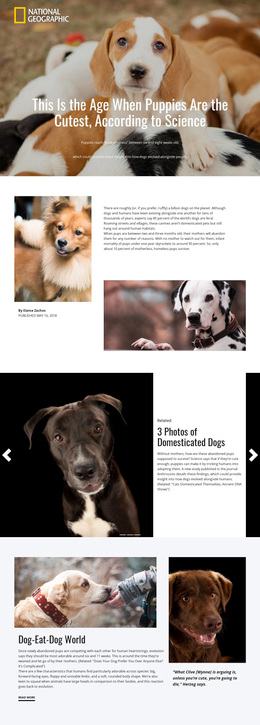
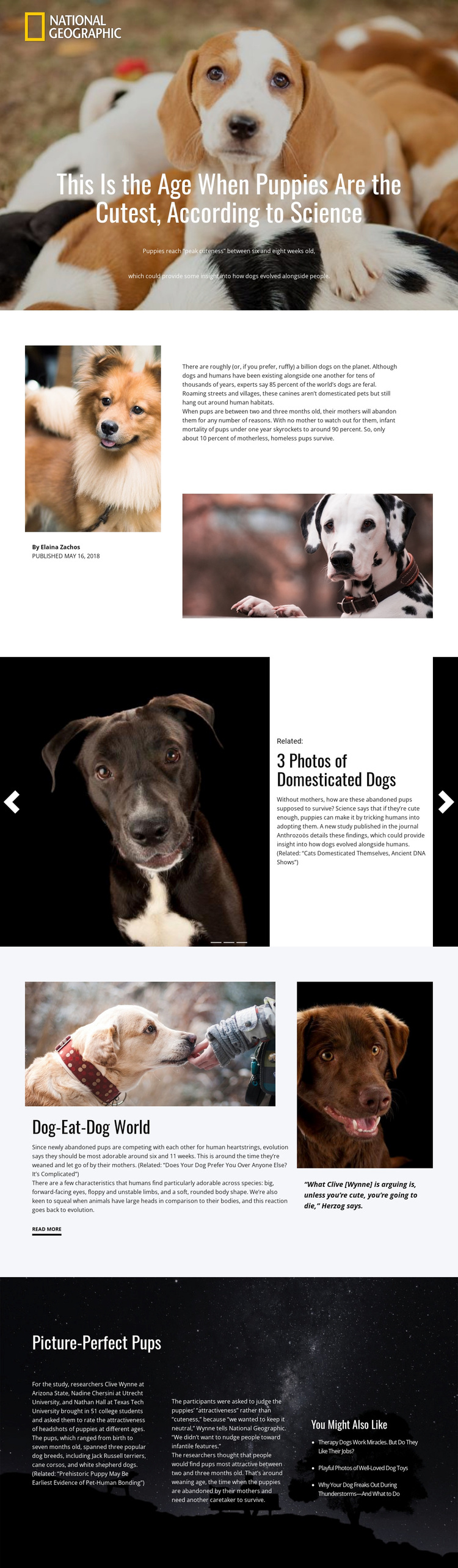
The design is worth choosing when an article needs to begin with a strong visual subject and then support that impression with substantial explanatory material. The hero places a puppy photograph behind the headline “This Is the Age When Puppies Are the Cutest, According to Science,” immediately identifying both the emotional image and the research topic. White article panels then provide a calmer surface for the credited introduction and longer reading content.
Its content coverage also distinguishes it from a simple image-led blog layout. The split introduction includes author information, publication context, supporting dog photographs, and article text. A repeated three-slide feature adds related stories without changing the magazine-like direction, while the “Dog-Eat-Dog World” section introduces a quotation panel beside the main discussion. These relationships give the page several ways to balance evidence, imagery, and onward reading.
The dark “Picture-Perfect Pups” section makes the design particularly suitable for study-focused storytelling. Three text columns can present methodology, researcher and institution references, and findings, while the related-links area extends the subject into additional reading. The page therefore offers a clear option for science, nature, animal behavior, or editorial projects that need more than a promotional hero. Its defining choice is the combination of high-contrast photography, magazine composition, and layered research content.
Customize with Nicepage
Open this ready-made template in the Template Builder and customize it visually in the Nicepage editor. Replace demo content, edit page sections, and adapt the design to your project without rebuilding the template from scratch.
Start With a Ready-Made Template
Choose a Design for a New Page
Use a ready-made template as a starting point instead of creating every page from a blank canvas. When adding a new page in Nicepage, browse available designs, compare different layouts, and choose an option that already fits the general purpose and visual direction of your project.
Browse Different Page Designs
Explore Page Designs using search, thematic categories, Design Sets, and full-page previews. The collection includes layouts for different subjects and page purposes, making it easier to compare alternatives before selecting a design to customize.
Customize the Selected Template
After choosing a design, create the page and continue editing it visually in Nicepage. Replace the demo content, adjust images, typography, colors, sections, and other elements, and adapt the ready-made layout to your own content instead of rebuilding the design from the beginning.
Explore More Design Directions
If the first option does not match your project closely enough, return to the design collection and compare other templates before committing to a layout. This makes the template library useful not only for faster page creation, but also for exploring different visual approaches and finding a suitable starting point for a new project.
This workflow gives you access to a broad collection of ready-made designs that can be selected, compared, and customized according to the needs of each new page or project.