Kate Humble Template


Edit Template Offline
2. Create new page and search for id 14119
Edit Template Online
Create Awesome Websites


Free Nicepage Builder
Keywords
Documentary Photography Connects Profile, Farm, and Event Content
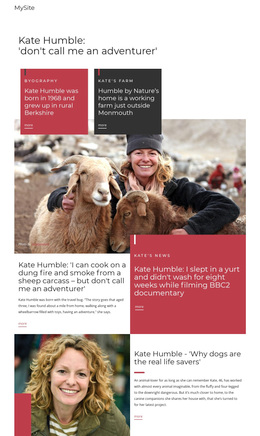
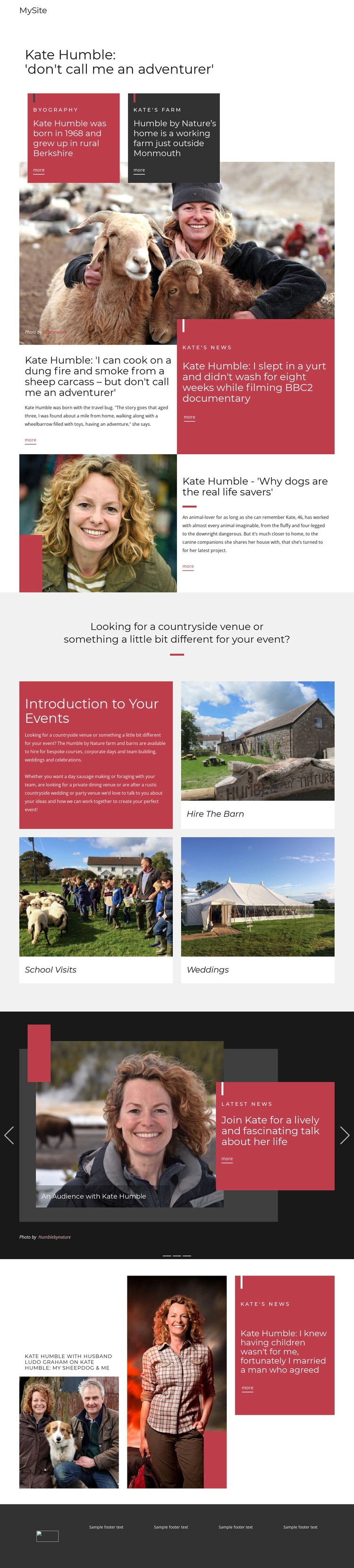
Large documentary-style photographs are the main reason this design stands apart from a layout built around dense service text. The opening profile introduces Kate Humble through a direct editorial headline, while the biography and farm section connects her personal background with Humble by Nature near Monmouth. Image and text work together here, so the page communicates both a person and a countryside setting before it introduces practical offerings.
The later feature sections extend that storytelling approach through different subjects. Adventure-related coverage, the dogs article, and the family-focused feature each use a photograph beside a headline and excerpt. This repeated structure gives the page an editorial character while allowing each story to remain visually distinct. The red highlighted panels and charcoal areas add contrast without overwhelming the photography.
The event section broadens the design’s usefulness. Its three image-led cards identify Hire The Barn, School Visits, and Weddings, with additional references to bespoke courses and corporate days in the supporting content. That combination makes the template suitable for a project that needs personality, countryside context, and several event-related directions rather than a purely corporate presentation. The three-slide latest-news carousel adds a current-content layer at the end, helping the design function as a choice for profile-led websites where visual storytelling, media coverage, and real-world activities need to share one recognizable page.
Customize with Nicepage
Open this ready-made template in the Template Builder and customize it visually in the Nicepage editor. Replace demo content, edit page sections, and adapt the design to your project without rebuilding the template from scratch.
Start With a Ready-Made Template
Choose a Design for a New Page
Use a ready-made template as a starting point instead of creating every page from a blank canvas. When adding a new page in Nicepage, browse available designs, compare different layouts, and choose an option that already fits the general purpose and visual direction of your project.
Browse Different Page Designs
Explore Page Designs using search, thematic categories, Design Sets, and full-page previews. The collection includes layouts for different subjects and page purposes, making it easier to compare alternatives before selecting a design to customize.
Customize the Selected Template
After choosing a design, create the page and continue editing it visually in Nicepage. Replace the demo content, adjust images, typography, colors, sections, and other elements, and adapt the ready-made layout to your own content instead of rebuilding the design from the beginning.
Explore More Design Directions
If the first option does not match your project closely enough, return to the design collection and compare other templates before committing to a layout. This makes the template library useful not only for faster page creation, but also for exploring different visual approaches and finding a suitable starting point for a new project.
This workflow gives you access to a broad collection of ready-made designs that can be selected, compared, and customized according to the needs of each new page or project.