Protect The Oceans Template


Edit Template Offline
2. Create new page and search for id 14604
Edit Template Online
Create Awesome Websites


Free Nicepage Builder
Keywords
Underwater Storytelling Connects Ecology With Everyday Choices
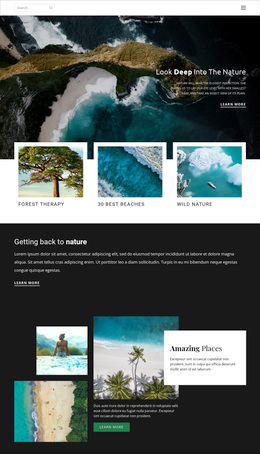
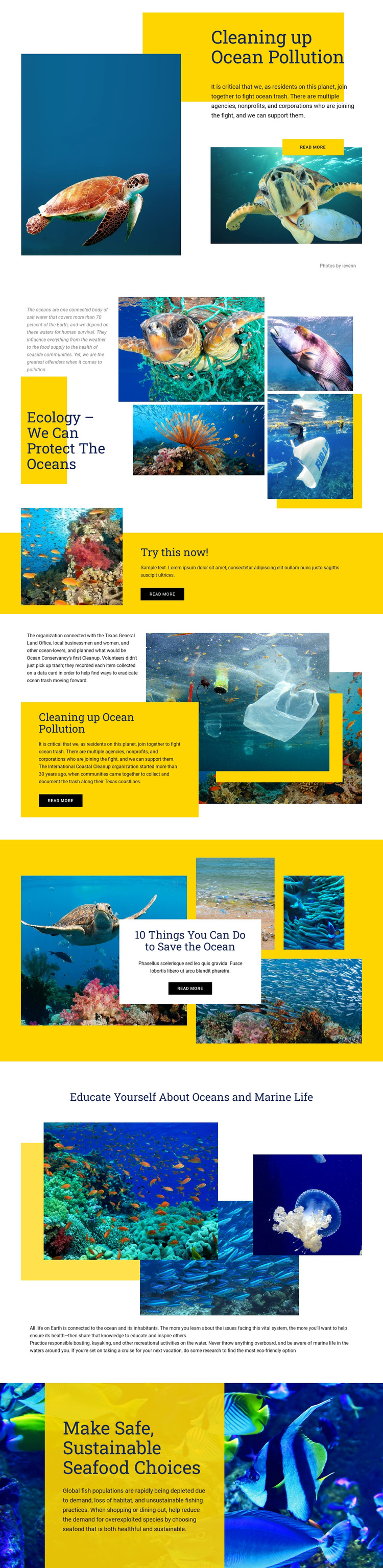
Large underwater photographs carry much of the page’s identity, but they are consistently paired with specific conservation subjects rather than used as decoration alone. The opening image composition introduces ocean pollution, the ecology gallery places multiple marine images beside explanatory text, and the coastal cleanup section connects the visual subject with participation guidance. This combination makes the design a useful choice for projects that need readers to understand an environmental issue before considering a response.
The content coverage also distinguishes the template from a page focused only on wildlife imagery. “10 Things You Can Do to Save the Ocean” introduces practical direction, while the education section addresses oceans and marine life more broadly. The closing discussion of safe sustainable seafood choices, together with references to responsible boating, kayaking, and eco-friendly cruise options, extends the design into everyday decision-making. Bright yellow bands and white cards create strong moments of emphasis against deep blue and vivid underwater backgrounds, so the page can support both documentary explanation and direct advocacy. Its strongest selection reason is the relationship between image-led storytelling and a broad set of conservation topics: pollution, cleanup, learning, and personal choices are presented as connected parts of one environmental message.
Customize with Nicepage
Open this ready-made template in the Template Builder and customize it visually in the Nicepage editor. Replace demo content, edit page sections, and adapt the design to your project without rebuilding the template from scratch.
Start With a Ready-Made Template
Choose a Design for a New Page
Use a ready-made template as a starting point instead of creating every page from a blank canvas. When adding a new page in Nicepage, browse available designs, compare different layouts, and choose an option that already fits the general purpose and visual direction of your project.
Browse Different Page Designs
Explore Page Designs using search, thematic categories, Design Sets, and full-page previews. The collection includes layouts for different subjects and page purposes, making it easier to compare alternatives before selecting a design to customize.
Customize the Selected Template
After choosing a design, create the page and continue editing it visually in Nicepage. Replace the demo content, adjust images, typography, colors, sections, and other elements, and adapt the ready-made layout to your own content instead of rebuilding the design from the beginning.
Explore More Design Directions
If the first option does not match your project closely enough, return to the design collection and compare other templates before committing to a layout. This makes the template library useful not only for faster page creation, but also for exploring different visual approaches and finding a suitable starting point for a new project.
This workflow gives you access to a broad collection of ready-made designs that can be selected, compared, and customized according to the needs of each new page or project.