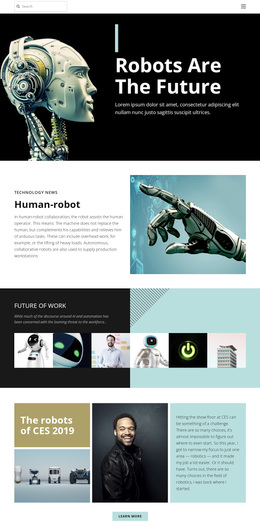
Future human technology Template


Edit Template Offline
2. Create new page and search for id 23397
Edit Template Online
Create Awesome Websites


Free Nicepage Builder
Keywords
Robotics, Concept Cars, and AI Give the Design a Distinctive Focus
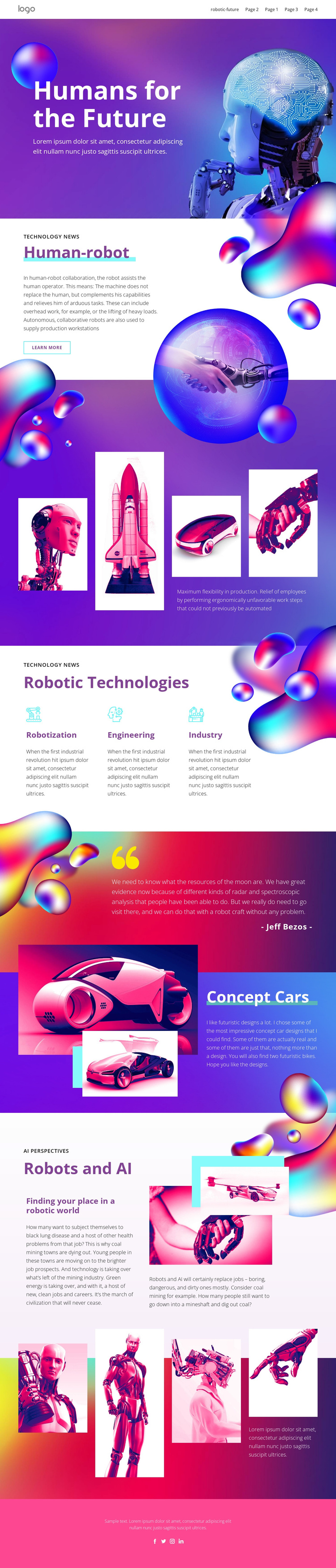
A large “Humans for the Future” opening, vivid gradients, and futuristic human-robot imagery immediately position this design around speculative technology rather than a generic corporate subject. The page continues that direction with a dedicated Human-robot section describing assistance for human operators, followed by a four-image showcase that connects robotics with futuristic vehicles. These facts make the visual story central to the template’s identity.
The content coverage is also broader than a single product or technical announcement. Three parallel categories—robotization, engineering, and industry—create a compact overview of related technology fields. The Concept Cars section extends the subject into cars and bikes, while the Robots and AI discussion connects automation to employment and industrial work. Together, these areas give the design enough range for technology commentary, a concept presentation, or an editorial feature about the future of machines.
The choice is therefore driven by the relationship between strong imagery and explanatory content. Glowing spheres, saturated purple and pink backgrounds, overlapping vehicle images, and large display headings provide a recognizable visual direction, while the repeated galleries and structured categories prevent the page from becoming only an abstract concept. It suits a project that wants futuristic technology to be explored through both visual impact and readable editorial sections.
Customize with Nicepage
Open this ready-made template in the Template Builder and customize it visually in the Nicepage editor. Replace demo content, edit page sections, and adapt the design to your project without rebuilding the template from scratch.
Start With a Ready-Made Template
Choose a Design for a New Page
Use a ready-made template as a starting point instead of creating every page from a blank canvas. When adding a new page in Nicepage, browse available designs, compare different layouts, and choose an option that already fits the general purpose and visual direction of your project.
Browse Different Page Designs
Explore Page Designs using search, thematic categories, Design Sets, and full-page previews. The collection includes layouts for different subjects and page purposes, making it easier to compare alternatives before selecting a design to customize.
Customize the Selected Template
After choosing a design, create the page and continue editing it visually in Nicepage. Replace the demo content, adjust images, typography, colors, sections, and other elements, and adapt the ready-made layout to your own content instead of rebuilding the design from the beginning.
Explore More Design Directions
If the first option does not match your project closely enough, return to the design collection and compare other templates before committing to a layout. This makes the template library useful not only for faster page creation, but also for exploring different visual approaches and finding a suitable starting point for a new project.
This workflow gives you access to a broad collection of ready-made designs that can be selected, compared, and customized according to the needs of each new page or project.