Modern web technology Template


Edit Template Offline
2. Create new page and search for id 19116
Edit Template Online
Create Awesome Websites


Free Nicepage Builder
Keywords
Five Project Tiles Turn the Agency Story Into a Visual Choice
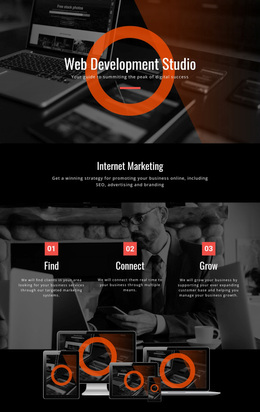
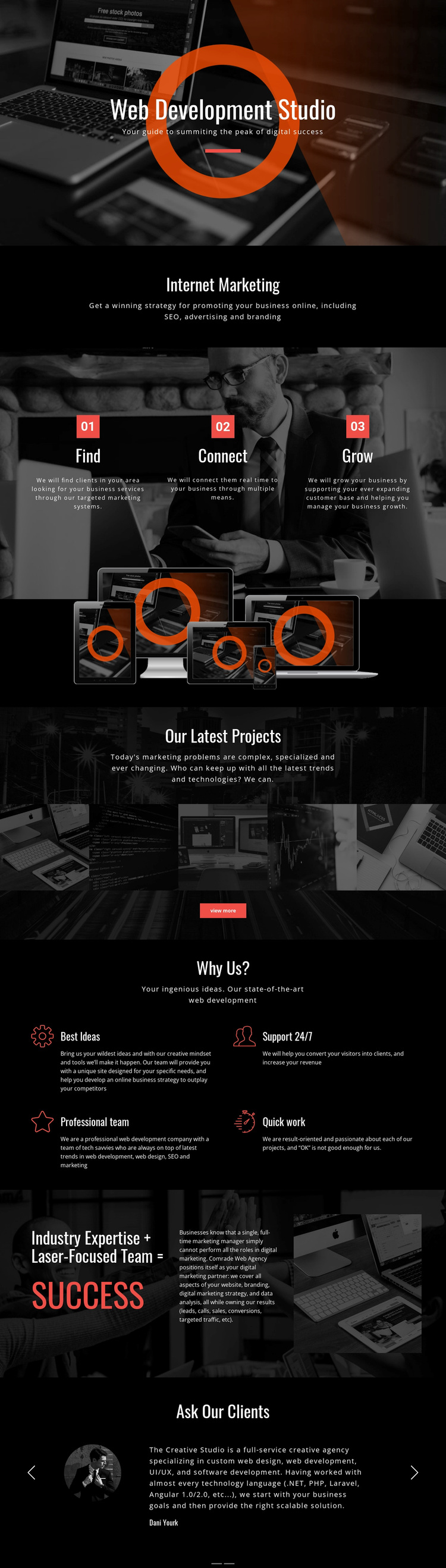
The five-image Our Latest Projects strip is the clearest distinctive feature of this design because it gives the agency presentation a visible portfolio focus. Instead of relying only on service language, the page places selected work within the larger story of web development and internet marketing. That gallery is supported by the technology-led hero and the device image, so visual examples remain connected to the studio’s digital subject rather than appearing as an isolated decoration.
The three numbered Find, Connect, and Grow panels add another reason to choose the layout. They express a process in a compact, repeatable form, while the Internet Marketing section identifies the related fields of SEO, advertising, and branding. The four Why Us? items then cover Best Ideas, Support 24/7, Professional team, and Quick work, giving the design enough content variety to explain both what the agency does and how it presents its working character.
The dark black-and-white treatment with orange circular graphics makes these content areas immediately recognizable as parts of one technology-oriented visual direction. The split expertise section and two portrait-based testimonial slides add partnership and client-response context near the end. Together, the design suits projects that need a concentrated agency presentation with service explanation, process, portfolio evidence, capability statements, and social proof, rather than a page centered only on a single product or a long editorial narrative.
Customize with Nicepage
Open this ready-made template in the Template Builder and customize it visually in the Nicepage editor. Replace demo content, edit page sections, and adapt the design to your project without rebuilding the template from scratch.
Start With a Ready-Made Template
Choose a Design for a New Page
Use a ready-made template as a starting point instead of creating every page from a blank canvas. When adding a new page in Nicepage, browse available designs, compare different layouts, and choose an option that already fits the general purpose and visual direction of your project.
Browse Different Page Designs
Explore Page Designs using search, thematic categories, Design Sets, and full-page previews. The collection includes layouts for different subjects and page purposes, making it easier to compare alternatives before selecting a design to customize.
Customize the Selected Template
After choosing a design, create the page and continue editing it visually in Nicepage. Replace the demo content, adjust images, typography, colors, sections, and other elements, and adapt the ready-made layout to your own content instead of rebuilding the design from the beginning.
Explore More Design Directions
If the first option does not match your project closely enough, return to the design collection and compare other templates before committing to a layout. This makes the template library useful not only for faster page creation, but also for exploring different visual approaches and finding a suitable starting point for a new project.
This workflow gives you access to a broad collection of ready-made designs that can be selected, compared, and customized according to the needs of each new page or project.