Techno skills in business Template


Edit Template Offline
2. Create new page and search for id 34941
Edit Template Online
Create Awesome Websites


Free Nicepage Builder
Keywords
Three Branding Services Meet a Strong Editorial Studio Direction
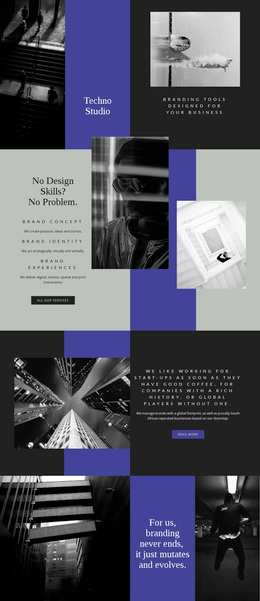
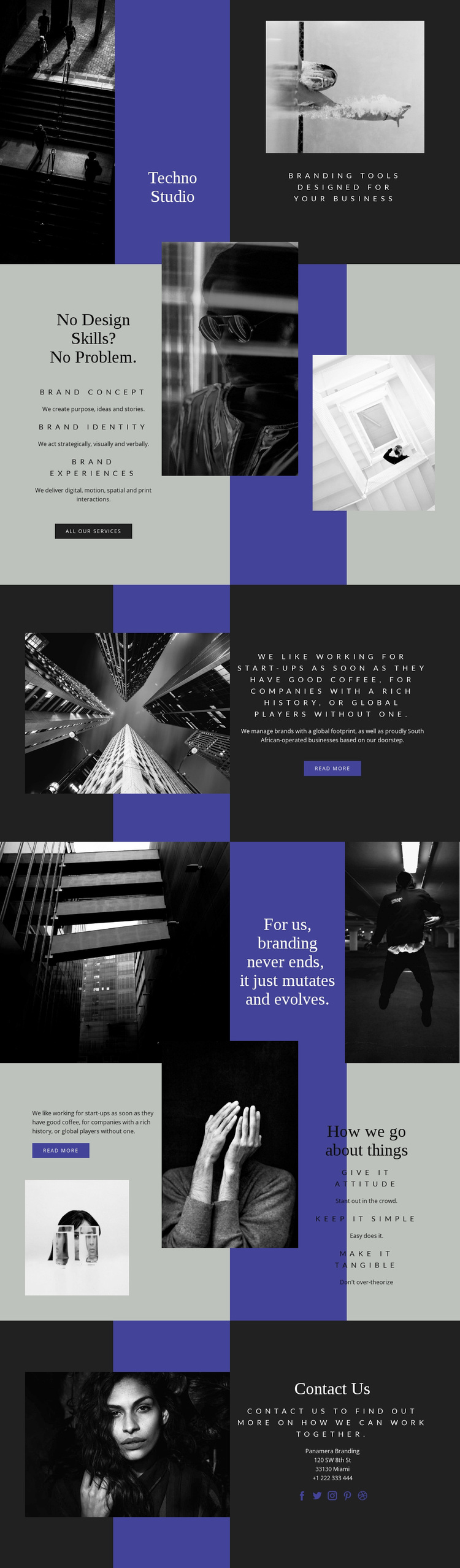
The design is worth considering when a branding project needs its visual presentation to carry as much meaning as its service copy. The opening Techno Studio composition uses monochrome photography, an asymmetric title panel, and the line Branding Tools Designed For Your Business to establish a focused creative direction immediately. It does not begin with a dense catalogue of services; instead, it creates a recognizable setting in which the later content can be understood.
The three service areas give that direction practical coverage. Brand Concept, Brand Identity, and Brand Experiences show a progression from foundational thinking to identity and broader interaction, while the all-services call to action keeps the arrangement open to a fuller offering. The page then differentiates itself further through its principles: Give it attitude, Keep it simple, and Make it tangible. These phrases make the design suitable for a studio that wants to communicate a point of view rather than only list deliverables.
The closing Contact Us section completes the option by connecting the visual story to collaboration. Its social links extend the studio context, and the monochrome image treatment keeps the ending consistent with the opening and middle sections. Compared with a generic business layout, this choice is most distinctive for combining editorial typography, geometric color fields, overlapping photography, and a clearly stated branding philosophy.
Customize with Nicepage
Open this ready-made template in the Template Builder and customize it visually in the Nicepage editor. Replace demo content, edit page sections, and adapt the design to your project without rebuilding the template from scratch.
Start With a Ready-Made Template
Choose a Design for a New Page
Use a ready-made template as a starting point instead of creating every page from a blank canvas. When adding a new page in Nicepage, browse available designs, compare different layouts, and choose an option that already fits the general purpose and visual direction of your project.
Browse Different Page Designs
Explore Page Designs using search, thematic categories, Design Sets, and full-page previews. The collection includes layouts for different subjects and page purposes, making it easier to compare alternatives before selecting a design to customize.
Customize the Selected Template
After choosing a design, create the page and continue editing it visually in Nicepage. Replace the demo content, adjust images, typography, colors, sections, and other elements, and adapt the ready-made layout to your own content instead of rebuilding the design from the beginning.
Explore More Design Directions
If the first option does not match your project closely enough, return to the design collection and compare other templates before committing to a layout. This makes the template library useful not only for faster page creation, but also for exploring different visual approaches and finding a suitable starting point for a new project.
This workflow gives you access to a broad collection of ready-made designs that can be selected, compared, and customized according to the needs of each new page or project.