Hair, nail and beauty salon Template


Edit Template Offline
2. Create new page and search for id 21712
Edit Template Online
Create Awesome Websites


Free Nicepage Builder
Keywords
A Four-Tile Overview Leads Into Skincare, Products, and Massage
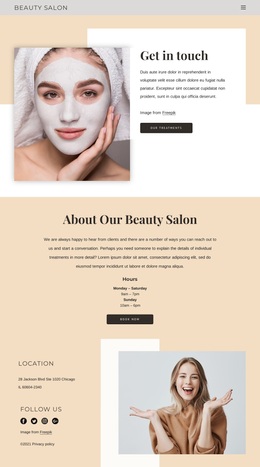
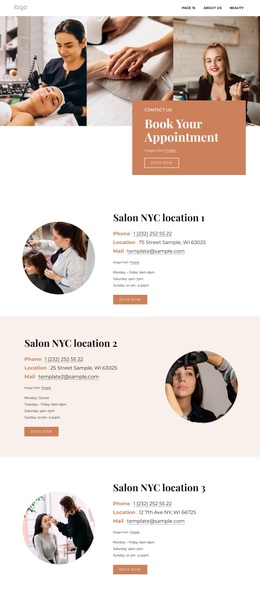
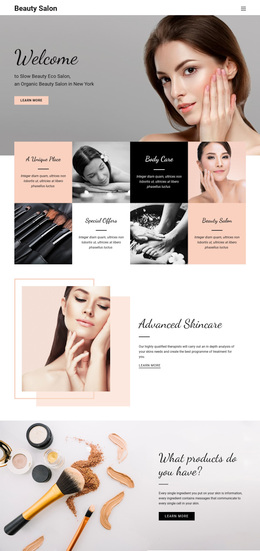
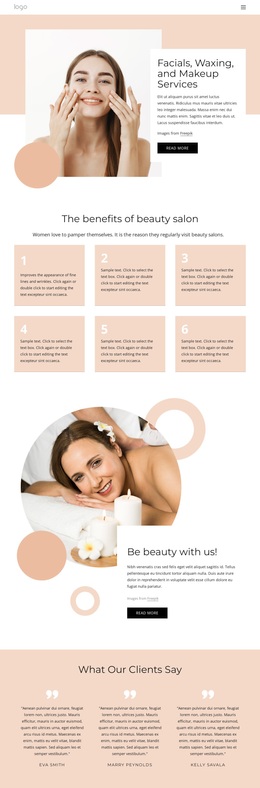
The four-item tile arrangement gives this design a useful point of distinction. Body Care, Special Offers, A Unique Place, and Beauty Salon appear as alternating image and text tiles, creating a quick overview that feels more editorial than a simple list of services. That visual introduction is followed by deeper content, so the page can serve projects that want visitors to understand the salon’s atmosphere before reading detailed treatment information.
The strongest coverage comes from the way different subjects are separated without losing their connection. Advanced Skincare receives its own image-led feature, while the product section explains the role of skincare ingredients beside product imagery. Three testimonial panels add a dedicated place for client-satisfaction content, and the Beauty Treatments and Massages sections broaden the offer through lifestyle and treatment photography. Together, these areas give the design more varied content than a page centered on only one service category.
The final reservation form makes the option practical for a salon that needs a clear contact destination. It follows the visual story rather than interrupting every section with a competing action, while earlier Contact us and Learn more links remain available for exploration. The result is a ready-made choice for projects where calm photography, wellness-oriented service coverage, product context, testimonials, and reservation content should work together in one focused presentation.
Customize with Nicepage
Open this ready-made template in the Template Builder and customize it visually in the Nicepage editor. Replace demo content, edit page sections, and adapt the design to your project without rebuilding the template from scratch.
Start With a Ready-Made Template
Choose a Design for a New Page
Use a ready-made template as a starting point instead of creating every page from a blank canvas. When adding a new page in Nicepage, browse available designs, compare different layouts, and choose an option that already fits the general purpose and visual direction of your project.
Browse Different Page Designs
Explore Page Designs using search, thematic categories, Design Sets, and full-page previews. The collection includes layouts for different subjects and page purposes, making it easier to compare alternatives before selecting a design to customize.
Customize the Selected Template
After choosing a design, create the page and continue editing it visually in Nicepage. Replace the demo content, adjust images, typography, colors, sections, and other elements, and adapt the ready-made layout to your own content instead of rebuilding the design from the beginning.
Explore More Design Directions
If the first option does not match your project closely enough, return to the design collection and compare other templates before committing to a layout. This makes the template library useful not only for faster page creation, but also for exploring different visual approaches and finding a suitable starting point for a new project.
This workflow gives you access to a broad collection of ready-made designs that can be selected, compared, and customized according to the needs of each new page or project.