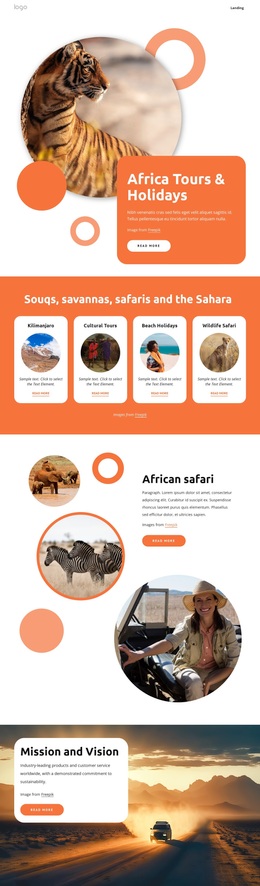
African safari tour company Template


Edit Template Offline
2. Create new page and search for id 19080
Edit Template Online
Create Awesome Websites


Free Nicepage Builder
Keywords
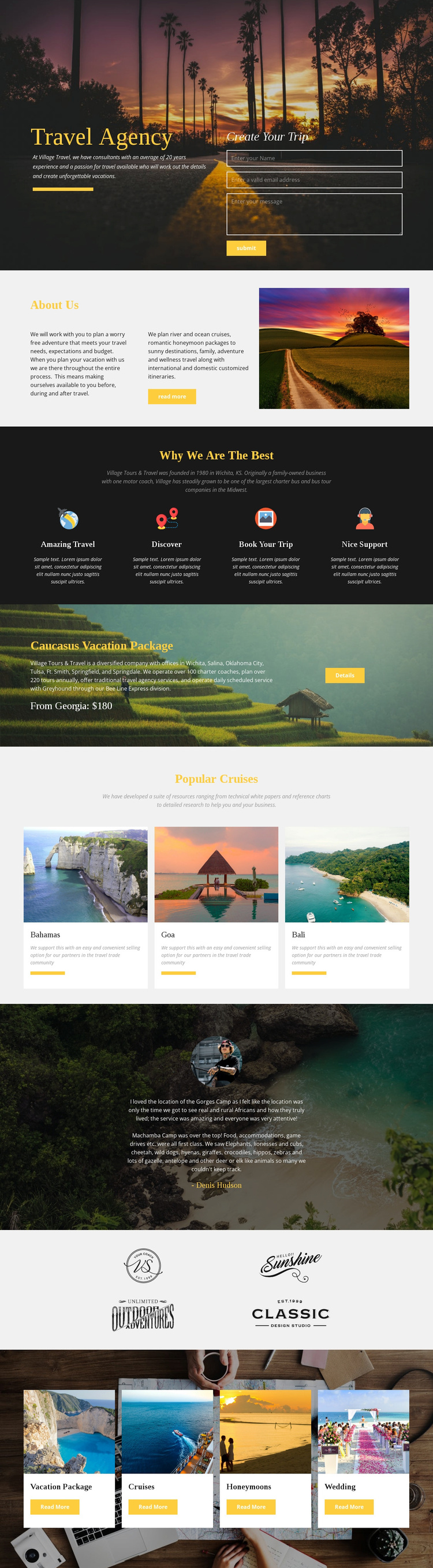
Cruise Cards and Travel Categories Give the Design Broad Offer Coverage
Destination imagery carries much of the page’s message, beginning with the scenic hero and continuing through the Caucasus Vacation Package and the three Popular Cruises cards. That emphasis makes the design a useful option for projects where people need to understand a travel experience visually before reading detailed explanations. The Bahamas, Goa, and Bali cards provide recognizable examples of how destinations can be presented in a compact repeated format, while the featured package gives the page one larger promotional focus.
The design also covers several travel decisions rather than presenting only one narrow offer. The four feature items introduce themes such as discovering, booking, and support; the testimonial adds a customer-oriented perspective; and the final category row separates Vacation Package, Cruises, Honeymoons, and Wedding into distinct entry points. The inquiry form in the hero keeps the page connected to trip planning, while About Us content supplies agency context before visitors reach the offers. This combination makes the template worth considering for a travel project that needs visual storytelling, several service directions, and a direct way to request information. Its value lies in the relationship between imagery, category breadth, featured promotion, and inquiry content, not in a generic claim that the design can suit every website.
Customize with Nicepage
Open this ready-made template in the Template Builder and customize it visually in the Nicepage editor. Replace demo content, edit page sections, and adapt the design to your project without rebuilding the template from scratch.
Start With a Ready-Made Template
Choose a Design for a New Page
Use a ready-made template as a starting point instead of creating every page from a blank canvas. When adding a new page in Nicepage, browse available designs, compare different layouts, and choose an option that already fits the general purpose and visual direction of your project.
Browse Different Page Designs
Explore Page Designs using search, thematic categories, Design Sets, and full-page previews. The collection includes layouts for different subjects and page purposes, making it easier to compare alternatives before selecting a design to customize.
Customize the Selected Template
After choosing a design, create the page and continue editing it visually in Nicepage. Replace the demo content, adjust images, typography, colors, sections, and other elements, and adapt the ready-made layout to your own content instead of rebuilding the design from the beginning.
Explore More Design Directions
If the first option does not match your project closely enough, return to the design collection and compare other templates before committing to a layout. This makes the template library useful not only for faster page creation, but also for exploring different visual approaches and finding a suitable starting point for a new project.
This workflow gives you access to a broad collection of ready-made designs that can be selected, compared, and customized according to the needs of each new page or project.