Transform your technology to power your growth Joomla Template

Edit Template Offline
2. Create new page and search for id 4947995
Edit Template Online
Create Awesome Websites


Free Nicepage Builder
Keywords
Service Tiles and Core Values Create Structured Joomla Content Areas
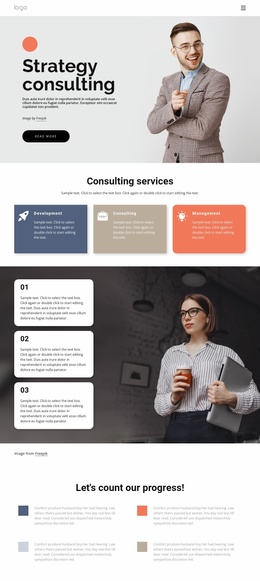
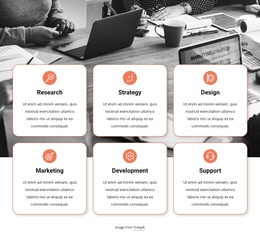
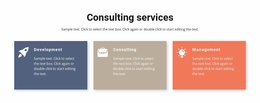
The six labeled service tiles divide the opening business information into clear subject areas: Consultations, Strategy, Investment, Marketing, Startups, and Anti-Crisis. That grouping gives a Joomla-managed site a practical content pattern for presenting recurring service information without mixing every offering into one dense paragraph. The later capability section adds a second level of organization, separating consulting services from digital delivery topics such as Innovation & Design, Modern Marketing, Advanced Analytics, and Enterprise Technology.
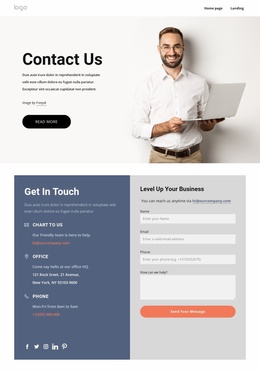
The dark blue beliefs section introduces another reusable content region. Its links to Our People, Our Values, Our Leaders, Our Culture, Our Team, and Our Awards show how organizational information can sit alongside service content while remaining visually distinct. The four-item accordion provides a compact place for additional questions or explanatory material, and the final contact form creates a clear destination for inquiries. Together, these regions give the design a structured relationship between navigation, service information, company content, and contact activity. The shared header and footer context can keep those regions connected as visitors move between related Joomla-managed areas. In a Joomla project, the design can therefore support CMS-managed informational sections while preserving the visual separation already established by the page.
Customize with Nicepage
Open this ready-made template in the Joomla Page Builder and customize it visually in the Nicepage editor. Replace demo content, edit page sections, and adapt the design to your project without rebuilding the template from scratch.
Work With This Template in Joomla
Customize and Install the Joomla Template
Start with this ready-made template instead of building the Joomla design from scratch. Customize its layout, content, typography, images, sections, and other design elements visually in the Nicepage application, then export and install the Joomla Template, Nicepage Extension, and supported content on your Joomla website.
Edit the Template Directly in Joomla
After installation, you can edit the Joomla Template directly in Joomla with the Nicepage Joomla Extension. Customize the Header, Footer, Colors, Fonts, typography, and Page Templates from the Joomla workflow while keeping the site design connected with your CMS content.
Edit Joomla Articles Visually
Use the Nicepage Joomla Extension to open and edit Joomla Articles visually from the Joomla Administrator. Change text, images, sections, layouts, and other page content in the Nicepage editor while continuing to manage the Articles through Joomla.
Joomla Content and Template Integration
Use the customized template together with Joomla Articles, module Positions, menus, forms, Blog Pages, and other supported CMS elements. With the Nicepage Extension used as the Site Style Source, shared design settings can be applied across Joomla Articles while Joomla continues to provide the CMS environment for managing site content.
This workflow combines a ready-made Joomla Template with visual customization, direct template editing in Joomla, and continued content management through the Nicepage Joomla Extension.