Freelance developer Joomla Template


Edit Template Offline
2. Create new page and search for id 6345884
Edit Template Online
Create Awesome Websites


Free Nicepage Builder
Keywords
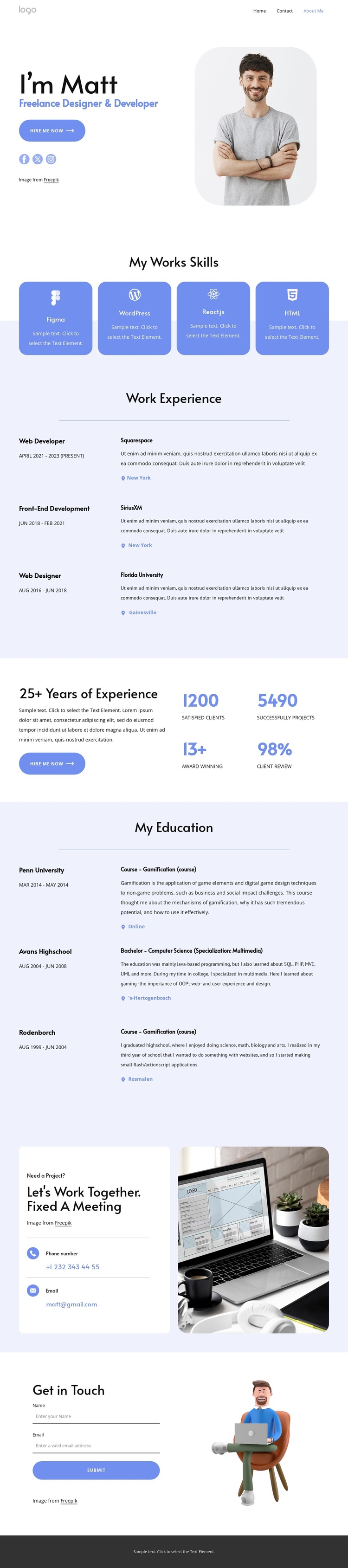
Skills, Career Entries, and Contact Regions Divide the Portfolio Into Managed Content Areas
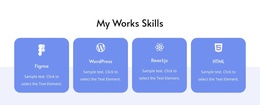
The four skill categories create a compact information group that can be maintained separately from the longer professional history. Figma, WordPress, React.js, and HTML are presented as equal cards, giving the page a clear technology overview before visitors reach the three work experience entries. Those entries use repeated role, date, organization, description, and location fields, making them a natural structured content region rather than a single paragraph that must be edited as one unit.
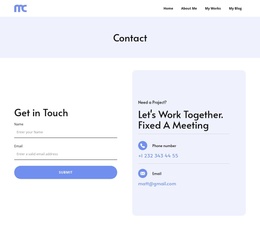
The education section applies a similar pattern with three entries, while the contact portion gathers the practical site regions at the end of the page. A project invitation is paired with phone and email channels, then a separate form requests name and email information. The footer adds social links and an email contact, giving the navigation and contact areas a continuing role around the portfolio content.
For a Joomla project, this arrangement can be interpreted as coordinated CMS-managed regions: recurring professional information, skills, education, navigation, and contact content can remain visually related while their text changes over time. The Joomla capability is not evidence that these CMS objects already exist in the template; rather, the clear division of content makes the design suitable for adaptation into a Joomla-managed portfolio with structured site sections and reusable contact-oriented regions.
Customize with Nicepage
Open this ready-made template in the Joomla Page Builder and customize it visually in the Nicepage editor. Replace demo content, edit page sections, and adapt the design to your project without rebuilding the template from scratch.
Work With This Template in Joomla
Customize and Install the Joomla Template
Start with this ready-made template instead of building the Joomla design from scratch. Customize its layout, content, typography, images, sections, and other design elements visually in the Nicepage application, then export and install the Joomla Template, Nicepage Extension, and supported content on your Joomla website.
Edit the Template Directly in Joomla
After installation, you can edit the Joomla Template directly in Joomla with the Nicepage Joomla Extension. Customize the Header, Footer, Colors, Fonts, typography, and Page Templates from the Joomla workflow while keeping the site design connected with your CMS content.
Edit Joomla Articles Visually
Use the Nicepage Joomla Extension to open and edit Joomla Articles visually from the Joomla Administrator. Change text, images, sections, layouts, and other page content in the Nicepage editor while continuing to manage the Articles through Joomla.
Joomla Content and Template Integration
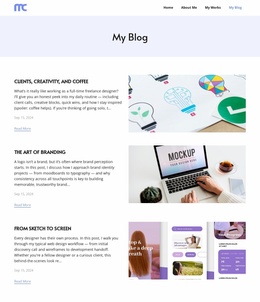
Use the customized template together with Joomla Articles, module Positions, menus, forms, Blog Pages, and other supported CMS elements. With the Nicepage Extension used as the Site Style Source, shared design settings can be applied across Joomla Articles while Joomla continues to provide the CMS environment for managing site content.
This workflow combines a ready-made Joomla Template with visual customization, direct template editing in Joomla, and continued content management through the Nicepage Joomla Extension.