HR services and solutions Joomla Template


Edit Template Offline
2. Create new page and search for id 6521333
Edit Template Online
Create Awesome Websites


Free Nicepage Builder
Keywords
Service Areas and Contact Regions Support Joomla Content
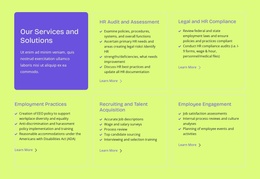
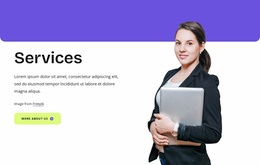
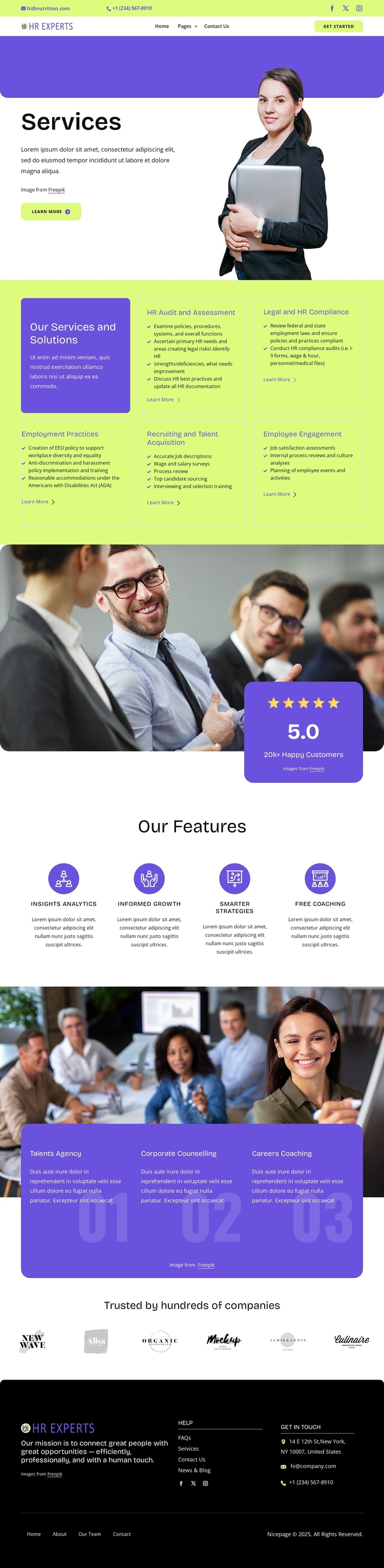
The five service categories divide the page into structured informational areas that can be maintained as distinct content subjects: HR Audit and Assessment, Legal and HR Compliance, Employment Practices, Recruiting and Talent Acquisition, and Employee Engagement. They follow the opening Services section, where introductory copy, a portrait image, and a Learn more action establish the page context. This gives the design a natural relationship between a general service overview and more specific content areas.
The four labeled features—Insights Analytics, Informed Growth, Smarter Strategies, and Free Coaching—provide another layer of recurring information, while the numbered program area groups Talents Agency, Corporate Counselling, and Careers Coaching into a separate sequence. The six client logo images form a dedicated trust region rather than being mixed into the service cards. These divisions can help a Joomla project preserve the visual distinction between service information, program content, and supporting proof.
Navigation and shared site regions are also represented clearly. The page includes mobile navigation, a dark multi-column footer, help links, secondary navigation, email and telephone channels, and social links for Facebook, Twitter, and Instagram. Together, these regions give CMS-managed content a coordinated frame. The design can therefore act as a Joomla-oriented foundation for structured HR information without claiming that Joomla Articles, categories, or module positions already exist in the template.
Customize with Nicepage
Open this ready-made template in the Joomla Page Builder and customize it visually in the Nicepage editor. Replace demo content, edit page sections, and adapt the design to your project without rebuilding the template from scratch.
Work With This Template in Joomla
Customize and Install the Joomla Template
Start with this ready-made template instead of building the Joomla design from scratch. Customize its layout, content, typography, images, sections, and other design elements visually in the Nicepage application, then export and install the Joomla Template, Nicepage Extension, and supported content on your Joomla website.
Edit the Template Directly in Joomla
After installation, you can edit the Joomla Template directly in Joomla with the Nicepage Joomla Extension. Customize the Header, Footer, Colors, Fonts, typography, and Page Templates from the Joomla workflow while keeping the site design connected with your CMS content.
Edit Joomla Articles Visually
Use the Nicepage Joomla Extension to open and edit Joomla Articles visually from the Joomla Administrator. Change text, images, sections, layouts, and other page content in the Nicepage editor while continuing to manage the Articles through Joomla.
Joomla Content and Template Integration
Use the customized template together with Joomla Articles, module Positions, menus, forms, Blog Pages, and other supported CMS elements. With the Nicepage Extension used as the Site Style Source, shared design settings can be applied across Joomla Articles while Joomla continues to provide the CMS environment for managing site content.
This workflow combines a ready-made Joomla Template with visual customization, direct template editing in Joomla, and continued content management through the Nicepage Joomla Extension.