HR support and service Joomla Template



Edit Template Offline
2. Create new page and search for id 6405746
Edit Template Online
Create Awesome Websites


Free Nicepage Builder
Keywords
Service Categories and Contact Regions Give Joomla Content a Clear Shape
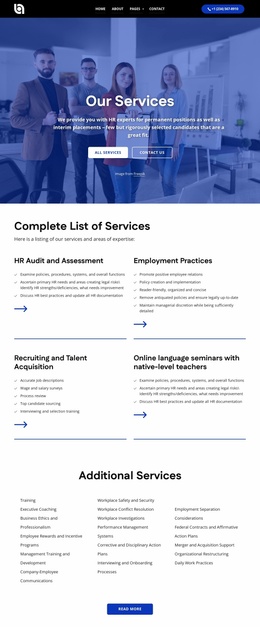
The page divides HR information into several structured regions that can be mapped to managed site content without changing the design character. The six dark service cards distinguish Team Retreats, Comprehensive Resources, Recruitment, Career Opportunities, Easy Communication, and Employee Support. That grouping gives a Joomla project a practical way to organize recurring informational content while keeping each category inside the same visual system. The separate management-support split section can introduce the broader service relationship before visitors reach those individual categories.
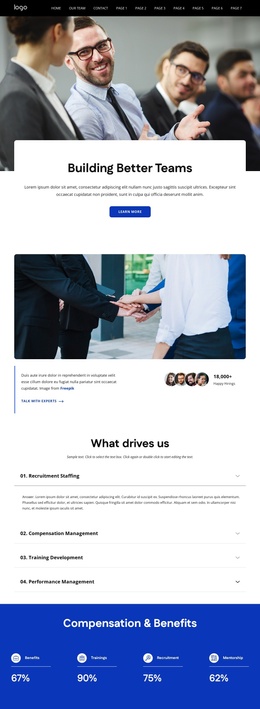
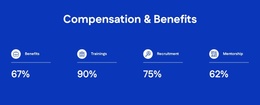
Other regions provide different content roles. The four reason cards and four testimonial cards support explanatory and client-oriented material, while the four percentage indicators offer a compact metrics presentation. The team gallery and mission accordion add people and operating-principle content, and the partner-logo section creates a dedicated area for associated organizations. These are not claims about actual Joomla Articles or modules already existing in the template; they are verified page regions that can be interpreted within a CMS-managed structure.
The navigation, contact form, office, phone, email, quick links, help and support, and social areas give the page shared site regions around its main content. If this design is extended in Joomla, the Joomla Extension can serve as an optional product bridge for working with article content, while the template’s confirmed value remains its organized HR information architecture.
Customize with Nicepage
Open this ready-made template in the Joomla Page Builder and customize it visually in the Nicepage editor. Replace demo content, edit page sections, and adapt the design to your project without rebuilding the template from scratch.
Work With This Template in Joomla
Customize and Install the Joomla Template
Start with this ready-made template instead of building the Joomla design from scratch. Customize its layout, content, typography, images, sections, and other design elements visually in the Nicepage application, then export and install the Joomla Template, Nicepage Extension, and supported content on your Joomla website.
Edit the Template Directly in Joomla
After installation, you can edit the Joomla Template directly in Joomla with the Nicepage Joomla Extension. Customize the Header, Footer, Colors, Fonts, typography, and Page Templates from the Joomla workflow while keeping the site design connected with your CMS content.
Edit Joomla Articles Visually
Use the Nicepage Joomla Extension to open and edit Joomla Articles visually from the Joomla Administrator. Change text, images, sections, layouts, and other page content in the Nicepage editor while continuing to manage the Articles through Joomla.
Joomla Content and Template Integration
Use the customized template together with Joomla Articles, module Positions, menus, forms, Blog Pages, and other supported CMS elements. With the Nicepage Extension used as the Site Style Source, shared design settings can be applied across Joomla Articles while Joomla continues to provide the CMS environment for managing site content.
This workflow combines a ready-made Joomla Template with visual customization, direct template editing in Joomla, and continued content management through the Nicepage Joomla Extension.