Consulting group Joomla Template



Edit Template Offline
2. Create new page and search for id 750549
Edit Template Online
Create Awesome Websites


Free Nicepage Builder
Keywords
Services, Process, and Contact Content Form Clear CMS Regions
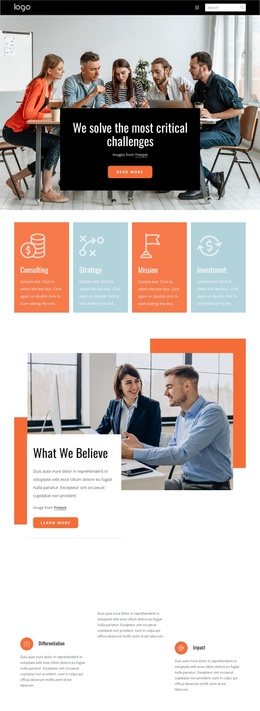
The page divides its consulting information into recurring regions that are easy to distinguish in a CMS-managed project. Business Consulting introduces the main subject, while the separate IT Consulting block gives the design a second named offering with its own overlapping photographs, text card, and Read more action. Between them, the four illustrated process cards organize the explanation into Define Problem, Structure the Problem, Analysis Plan, and Happy Customers. This repeated structure provides a natural content group for a Joomla site rather than requiring all information to remain in one long text area.
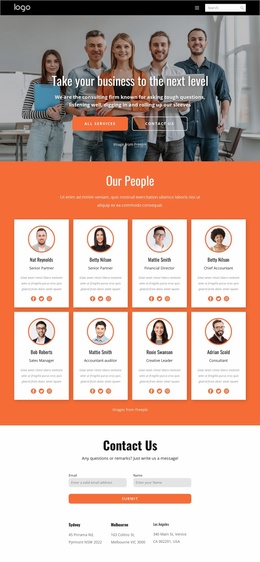
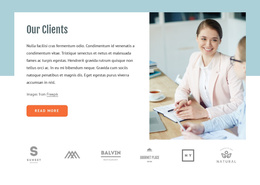
The team collage, Our Clients section, and About Us grid add different kinds of structured information. Team imagery and the teamwork quote support people-focused content; the client section pairs explanatory text and photography with six repeated client marks; and six numbered entries accompany the central About Us card. The four metric cards under Consulting Successes add another repeatable presentation, although their sample values should be treated as demonstration content rather than verified business results.
At the end, the Contact Us region combines a name-and-email form, Submit action, and three location entries. Navigation, shared header and footer areas, service content, repeated cards, and contact information give Joomla content managers recognizable regions to organize. The design therefore supports a structured CMS interpretation without claiming that Joomla Articles or module positions already exist in the template.
Customize with Nicepage
Open this ready-made template in the Joomla Page Builder and customize it visually in the Nicepage editor. Replace demo content, edit page sections, and adapt the design to your project without rebuilding the template from scratch.
Work With This Template in Joomla
Customize and Install the Joomla Template
Start with this ready-made template instead of building the Joomla design from scratch. Customize its layout, content, typography, images, sections, and other design elements visually in the Nicepage application, then export and install the Joomla Template, Nicepage Extension, and supported content on your Joomla website.
Edit the Template Directly in Joomla
After installation, you can edit the Joomla Template directly in Joomla with the Nicepage Joomla Extension. Customize the Header, Footer, Colors, Fonts, typography, and Page Templates from the Joomla workflow while keeping the site design connected with your CMS content.
Edit Joomla Articles Visually
Use the Nicepage Joomla Extension to open and edit Joomla Articles visually from the Joomla Administrator. Change text, images, sections, layouts, and other page content in the Nicepage editor while continuing to manage the Articles through Joomla.
Joomla Content and Template Integration
Use the customized template together with Joomla Articles, module Positions, menus, forms, Blog Pages, and other supported CMS elements. With the Nicepage Extension used as the Site Style Source, shared design settings can be applied across Joomla Articles while Joomla continues to provide the CMS environment for managing site content.
This workflow combines a ready-made Joomla Template with visual customization, direct template editing in Joomla, and continued content management through the Nicepage Joomla Extension.