Pristine Shine Joomla Template


Edit Template Offline
2. Create new page and search for id 6400935
Edit Template Online
Create Awesome Websites


Free Nicepage Builder
Keywords
Service Categories and Industry Regions Suit Structured Joomla Content
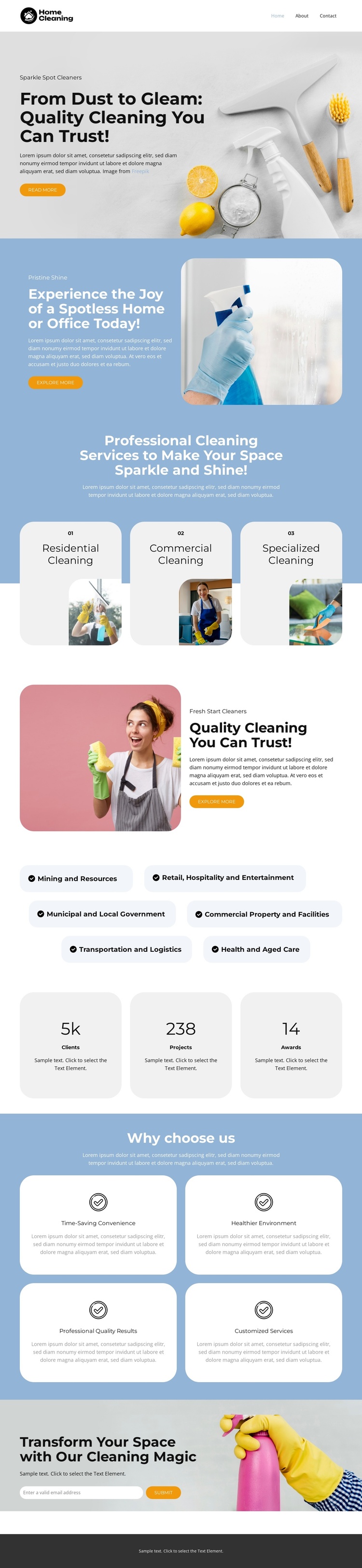
The three rounded service cards give the design an immediate content structure for residential, commercial, and specialized cleaning. They are presented as peer categories beneath a shared introduction, so each can remain a distinct informational area while following the same visual treatment. The six pill-shaped industry labels add another layer of organization by naming the settings the page addresses, from retail and hospitality to commercial property, transportation, and health-related care. Together, these sections divide the design into recurring service and audience content rather than a single block of promotional text.
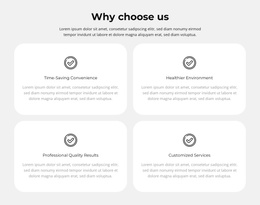
The split sections and repeated Get a Quote buttons provide shared regions around that content. The opening block introduces the quality promise, the blue section focuses on home or office cleaning, and the pink-backed block reinforces trust before the final invitation. Four benefit cards can support further structured explanations of time-saving convenience, a healthy environment, professional results, and customized services. Three metric cards remain a separate presentation area for sample numeric content and should not be treated as verified achievements. In a Joomla-oriented site structure, these clearly separated service, industry, benefit, navigation, and contact-oriented regions can be kept visually coordinated while their actual text and recurring content are managed through the CMS. The design’s value comes from those recognizable content boundaries, not from assuming unverified Joomla-specific elements already exist.
Customize with Nicepage
Open this ready-made template in the Joomla Page Builder and customize it visually in the Nicepage editor. Replace demo content, edit page sections, and adapt the design to your project without rebuilding the template from scratch.
Work With This Template in Joomla
Customize and Install the Joomla Template
Start with this ready-made template instead of building the Joomla design from scratch. Customize its layout, content, typography, images, sections, and other design elements visually in the Nicepage application, then export and install the Joomla Template, Nicepage Extension, and supported content on your Joomla website.
Edit the Template Directly in Joomla
After installation, you can edit the Joomla Template directly in Joomla with the Nicepage Joomla Extension. Customize the Header, Footer, Colors, Fonts, typography, and Page Templates from the Joomla workflow while keeping the site design connected with your CMS content.
Edit Joomla Articles Visually
Use the Nicepage Joomla Extension to open and edit Joomla Articles visually from the Joomla Administrator. Change text, images, sections, layouts, and other page content in the Nicepage editor while continuing to manage the Articles through Joomla.
Joomla Content and Template Integration
Use the customized template together with Joomla Articles, module Positions, menus, forms, Blog Pages, and other supported CMS elements. With the Nicepage Extension used as the Site Style Source, shared design settings can be applied across Joomla Articles while Joomla continues to provide the CMS environment for managing site content.
This workflow combines a ready-made Joomla Template with visual customization, direct template editing in Joomla, and continued content management through the Nicepage Joomla Extension.