Lawyer's portfolio Joomla Template


Edit Template Offline
2. Create new page and search for id 307155
Edit Template Online
Create Awesome Websites


Free Nicepage Builder
Keywords
Service regions and contact details suit a structured Joomla content layout
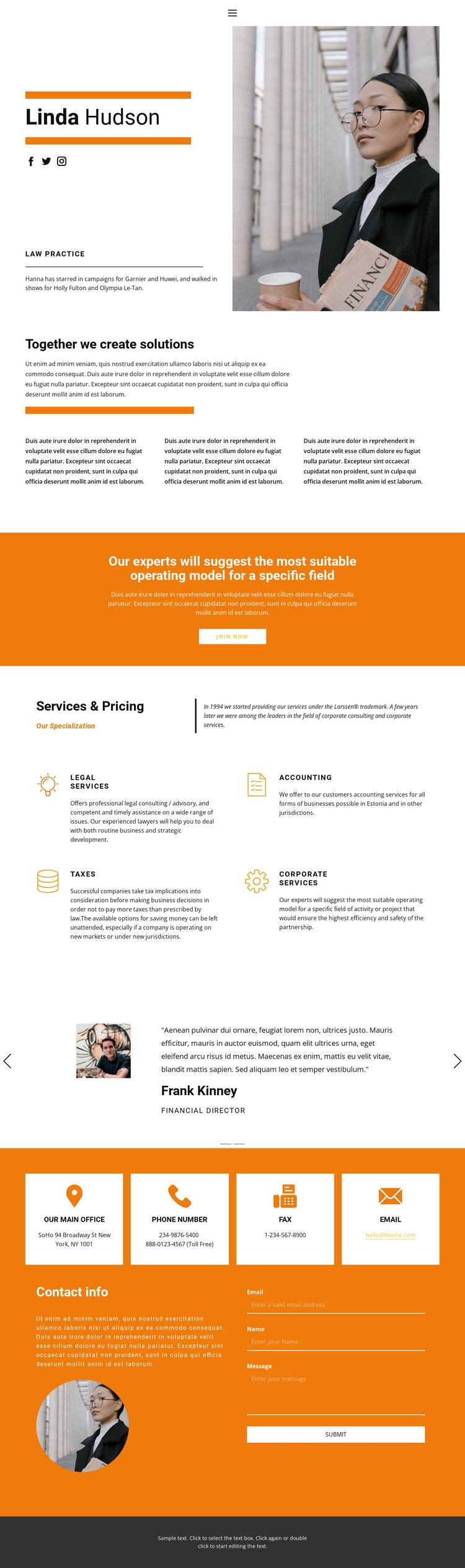
The four service cards divide the main offer into clear informational regions: legal services, accounting, taxes, and corporate services. That separation is useful for a CMS-managed professional site because each subject can remain visually distinct while sharing the same card treatment and surrounding page style. The centered “Together we create solutions” section adds a broader organizational message before visitors reach those more specific service areas.
The page also contains reusable regions that support ongoing site organization. The opening profile combines a professional introduction, portrait, law-practice label, and social links, while the testimonial area presents two repeated entries with portraits, quotations, and role labels. These groups provide different kinds of content without requiring the visual system to change between them. Navigation and mobile-navigation components are verified, so the page has a defined route between its major areas.
The closing contact region is especially suitable for structured site content. Four repeated cards separate office, phone, fax, and email categories, and the adjacent form gathers a name, email, and message for an inquiry. In a Joomla project, these regions can serve as organized content areas within the same design language, while the page’s shared navigation and dark footer preserve continuity. The interpretation concerns the template’s content structure, not an unsupported claim that Joomla Articles or modules already exist in the source page.
Customize with Nicepage
Open this ready-made template in the Joomla Page Builder and customize it visually in the Nicepage editor. Replace demo content, edit page sections, and adapt the design to your project without rebuilding the template from scratch.
Work With This Template in Joomla
Customize and Install the Joomla Template
Start with this ready-made template instead of building the Joomla design from scratch. Customize its layout, content, typography, images, sections, and other design elements visually in the Nicepage application, then export and install the Joomla Template, Nicepage Extension, and supported content on your Joomla website.
Edit the Template Directly in Joomla
After installation, you can edit the Joomla Template directly in Joomla with the Nicepage Joomla Extension. Customize the Header, Footer, Colors, Fonts, typography, and Page Templates from the Joomla workflow while keeping the site design connected with your CMS content.
Edit Joomla Articles Visually
Use the Nicepage Joomla Extension to open and edit Joomla Articles visually from the Joomla Administrator. Change text, images, sections, layouts, and other page content in the Nicepage editor while continuing to manage the Articles through Joomla.
Joomla Content and Template Integration
Use the customized template together with Joomla Articles, module Positions, menus, forms, Blog Pages, and other supported CMS elements. With the Nicepage Extension used as the Site Style Source, shared design settings can be applied across Joomla Articles while Joomla continues to provide the CMS environment for managing site content.
This workflow combines a ready-made Joomla Template with visual customization, direct template editing in Joomla, and continued content management through the Nicepage Joomla Extension.