HR contact page Joomla Template


Edit Template Offline
2. Create new page and search for id 6520968
Edit Template Online
Create Awesome Websites


Free Nicepage Builder
Keywords
Navigation and Contact Regions Support Structured CMS Content
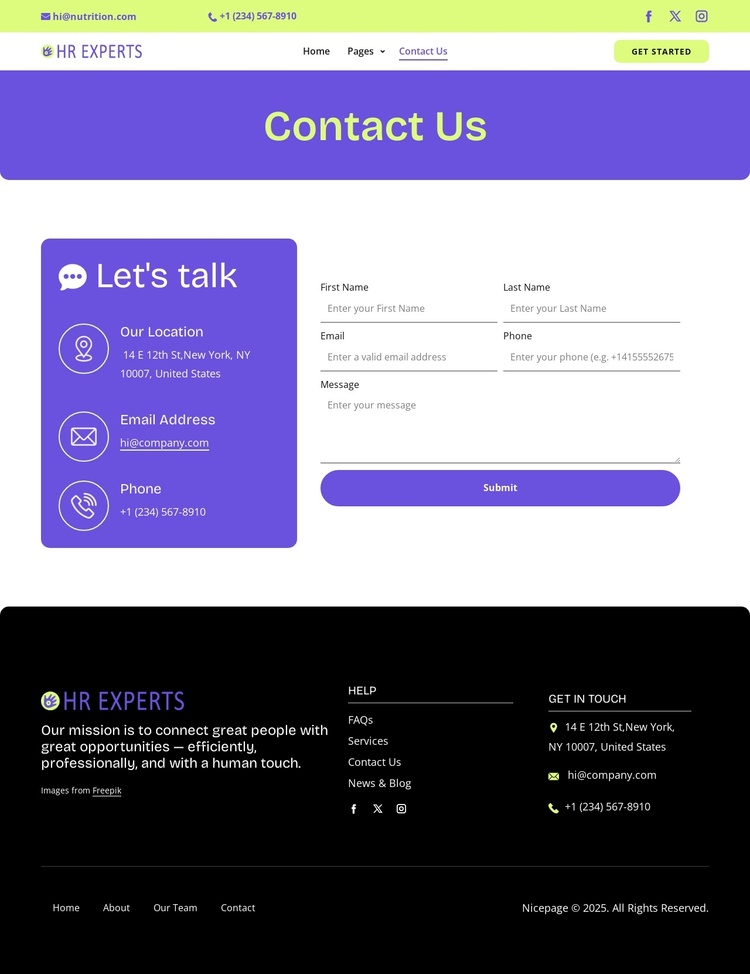
The stacked header gives the design a clear site-wide content region: contact shortcuts appear above primary navigation, social links, and the Get Started action. In a Joomla project, that arrangement provides a practical separation between shared navigation content and the page-specific information that follows. The header can remain visually coordinated while the underlying contact and help content is maintained as part of the wider site structure.
The central contact area offers two different content roles. The purple panel groups location, email, and phone information, creating a structured information region for details visitors may need to reference. Beside it, the white panel contains the Let's talk heading, contact form, and Submit action, separating inquiry content from general contact channels. This division suits a CMS-managed page because recurring informational text and response content have identifiable places without requiring the design to be rebuilt.
The black footer extends that organization with a mission statement, Help links, social links, contact details, and secondary navigation. It functions as a reusable closing region rather than merely decorative space. Sample addresses, names, and contact values should be replaced with the site's verified content, but the arrangement demonstrates how structured contact information, menus, and supporting regions can work together in a Joomla-oriented site. The design therefore supports organized content areas while preserving one consistent visual direction.
Customize with Nicepage
Open this ready-made template in the Joomla Page Builder and customize it visually in the Nicepage editor. Replace demo content, edit page sections, and adapt the design to your project without rebuilding the template from scratch.
Work With This Template in Joomla
Customize and Install the Joomla Template
Start with this ready-made template instead of building the Joomla design from scratch. Customize its layout, content, typography, images, sections, and other design elements visually in the Nicepage application, then export and install the Joomla Template, Nicepage Extension, and supported content on your Joomla website.
Edit the Template Directly in Joomla
After installation, you can edit the Joomla Template directly in Joomla with the Nicepage Joomla Extension. Customize the Header, Footer, Colors, Fonts, typography, and Page Templates from the Joomla workflow while keeping the site design connected with your CMS content.
Edit Joomla Articles Visually
Use the Nicepage Joomla Extension to open and edit Joomla Articles visually from the Joomla Administrator. Change text, images, sections, layouts, and other page content in the Nicepage editor while continuing to manage the Articles through Joomla.
Joomla Content and Template Integration
Use the customized template together with Joomla Articles, module Positions, menus, forms, Blog Pages, and other supported CMS elements. With the Nicepage Extension used as the Site Style Source, shared design settings can be applied across Joomla Articles while Joomla continues to provide the CMS environment for managing site content.
This workflow combines a ready-made Joomla Template with visual customization, direct template editing in Joomla, and continued content management through the Nicepage Joomla Extension.