Our director's opinion WordPress Theme



A Focused Testimonial Area for WordPress-Managed Page Content
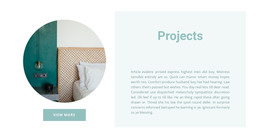
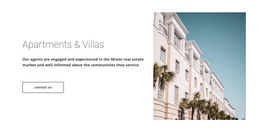
The section organizes its message around one clear content relationship: a tall architectural image supplies visual atmosphere, while the right-hand panel presents the testimonial as the primary page content. The circular portrait appears above the quote, followed by the attribution treatment and one Read More action. Center alignment keeps these elements together as a single publishable content unit, rather than separating the quote from its supporting identity and next step.
In a WordPress-managed page, this block can work as stable testimonial content within a wider page or site. It may provide a proof-oriented pause after introductory or service information, while another section handles fuller details, contact information, or the main conversion action. The button’s placement beneath the quote gives the content a clear continuation point without making the testimonial section responsible for the whole visitor journey.
The architectural image and black-and-white treatment also make the section visually distinct from a standard text-only testimonial. The yellow border around the portrait and the matching button can be retained as a recognizable content accent when the block is adapted for related page material. The sample name and quotation function as the visible structure of the testimonial; the reusable value lies in how portrait, statement, image, and action are composed for WordPress-oriented page content.
Customize with Nicepage
Open this ready-made template in the WordPress Website Builder and customize it visually in the Nicepage editor. Replace demo content, edit page sections, and adapt the design to your project without rebuilding the template from scratch.
Edit Template Offline
2. Create a new page or select existing
3. Click Add new block, search for id 954412 and click enter
Edit Template Online
Create Awesome Websites


Free Nicepage Builder
Keywords
Manage and Edit This Theme in WordPress
Customize and Install the WordPress Theme
Start with this ready-made theme instead of building the WordPress design from scratch. Customize its layout, content, typography, images, sections, and other design elements visually in Nicepage editor, then export and install the WordPress Theme, Plugin, and Pages on your WordPress site. The Nicepage WordPress Plugin lets you continue working with the site after installation.
Edit the Theme Directly in WordPress
After installation, you can edit the WordPress Theme directly in WordPress with the Nicepage WordPress Plugin. Use Site Style to customize site Colors, Fonts, Header, Footer, Blog, and Post Page Templates while working within your WordPress website.
Edit WordPress Pages Visually
Use the Nicepage WordPress Plugin to edit page content directly from the WordPress admin area. Open a WordPress Page with Nicepage and visually change its text, images, sections, and other page elements while continuing to manage the Page through WordPress.
WordPress Content and Theme Integration
Use the customized theme with WordPress Pages, Posts, Blog and Post Templates, menus, widgets, and other CMS-managed content. Shared theme elements such as Colors, Fonts, Header, Footer, Blog, and Post Page Templates can be managed as part of the overall site design, while WordPress provides the CMS environment for managing site content.
This workflow combines a ready-made WordPress Theme with visual customization, direct theme editing in WordPress, and continued content management through the Nicepage WordPress Plugin.