People say WordPress Theme


Stable Testimonial Content With a Clear Speaker Hierarchy
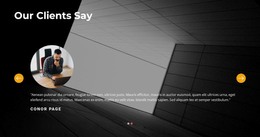
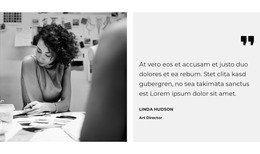
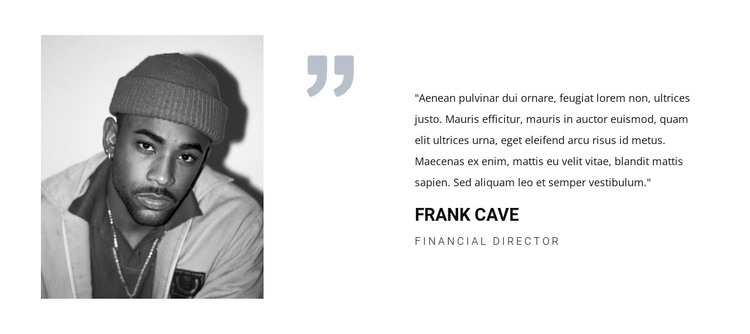
The block's content reads as a stable testimonial area for a WordPress-managed page: one quote is paired with one portrait and one attribution rather than with a changing list of posts or a broad editorial feed. The left image supplies a recognizable speaker cue, while the pale quotation mark separates that visual cue from the text region. This keeps the testimonial legible as a single publishable content unit within the surrounding page design.
The right side presents two levels of attribution. Frank Cave is given bold uppercase emphasis, making the speaker easy to identify, while Financial Director appears smaller with added letter spacing as supporting role information. The quote remains visually dominant between those details. Together, these relationships create a page section that can preserve its intended meaning when placed alongside other managed content, such as service information or company details.
In a WordPress-oriented project, the section can function as permanent page content within a broader theme and page structure. It does not need to become a standalone theme or depend on a post archive to be useful. A site can place this testimonial where customer perspective supports the surrounding message, then use other managed pages or sections for additional testimonials, explanations, and response actions. The block's portrait-to-quote composition gives that page content a distinct visual identity while keeping its scope to one testimonial.
Customize with Nicepage
Open this ready-made template in the WordPress Website Builder and customize it visually in the Nicepage editor. Replace demo content, edit page sections, and adapt the design to your project without rebuilding the template from scratch.
Edit Template Offline
2. Create a new page or select existing
3. Click Add new block, search for id 87237 and click enter
Edit Template Online
Create Awesome Websites


Free Nicepage Builder
Keywords
Manage and Edit This Theme in WordPress
Customize and Install the WordPress Theme
Start with this ready-made theme instead of building the WordPress design from scratch. Customize its layout, content, typography, images, sections, and other design elements visually in Nicepage editor, then export and install the WordPress Theme, Plugin, and Pages on your WordPress site. The Nicepage WordPress Plugin lets you continue working with the site after installation.
Edit the Theme Directly in WordPress
After installation, you can edit the WordPress Theme directly in WordPress with the Nicepage WordPress Plugin. Use Site Style to customize site Colors, Fonts, Header, Footer, Blog, and Post Page Templates while working within your WordPress website.
Edit WordPress Pages Visually
Use the Nicepage WordPress Plugin to edit page content directly from the WordPress admin area. Open a WordPress Page with Nicepage and visually change its text, images, sections, and other page elements while continuing to manage the Page through WordPress.
WordPress Content and Theme Integration
Use the customized theme with WordPress Pages, Posts, Blog and Post Templates, menus, widgets, and other CMS-managed content. Shared theme elements such as Colors, Fonts, Header, Footer, Blog, and Post Page Templates can be managed as part of the overall site design, while WordPress provides the CMS environment for managing site content.
This workflow combines a ready-made WordPress Theme with visual customization, direct theme editing in WordPress, and continued content management through the Nicepage WordPress Plugin.