Cleaning agency services WordPress Theme


Stable services content for a WordPress-managed page
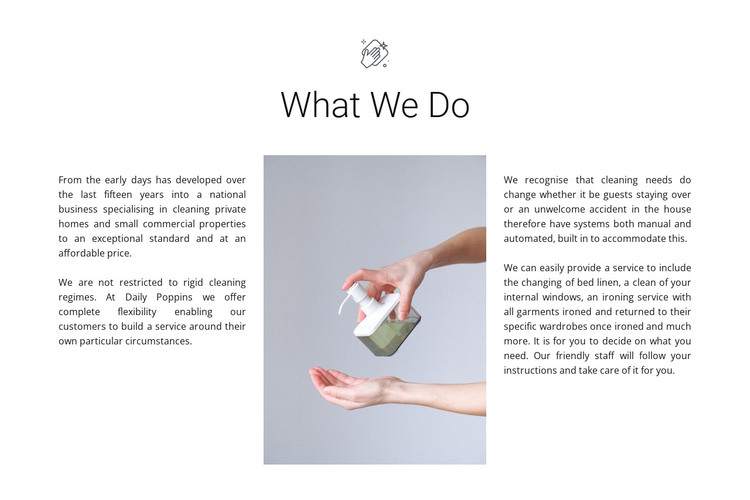
The block reads as durable page content because its main subject is a defined set of cleaning services rather than a time-sensitive announcement. “What We Do” introduces the section, while the two surrounding text columns explain both the customer settings—private homes and small commercial properties—and the practical options available. References to changing bed linen, internal window cleaning, and ironing give the section enough detail to work as more than a general company statement. The copy also acknowledges that the service can be adapted to individual circumstances.
For a WordPress-managed page, this content can occupy a reusable services region within a wider site while retaining its visual arrangement. The central cleaning image acts as a visual anchor between the two text groups, and the white background, black heading, decorative icon, and soft gray image field keep the information calm and clearly bounded. The section can support a stable services page while other CMS-managed areas provide contact, booking, or additional company information. It should be understood as one publishable content area within the broader WordPress project, not as a complete WordPress Theme. Its three-column structure gives the page a recognizable service overview without requiring extra components or unconfirmed interaction.
Customize with Nicepage
Open this ready-made template in the WordPress Website Builder and customize it visually in the Nicepage editor. Replace demo content, edit page sections, and adapt the design to your project without rebuilding the template from scratch.
Edit Template Offline
2. Create a new page or select existing
3. Click Add new block, search for id 323846 and click enter
Edit Template Online
Create Awesome Websites


Free Nicepage Builder
Keywords
Manage and Edit This Theme in WordPress
Customize and Install the WordPress Theme
Start with this ready-made theme instead of building the WordPress design from scratch. Customize its layout, content, typography, images, sections, and other design elements visually in Nicepage editor, then export and install the WordPress Theme, Plugin, and Pages on your WordPress site. The Nicepage WordPress Plugin lets you continue working with the site after installation.
Edit the Theme Directly in WordPress
After installation, you can edit the WordPress Theme directly in WordPress with the Nicepage WordPress Plugin. Use Site Style to customize site Colors, Fonts, Header, Footer, Blog, and Post Page Templates while working within your WordPress website.
Edit WordPress Pages Visually
Use the Nicepage WordPress Plugin to edit page content directly from the WordPress admin area. Open a WordPress Page with Nicepage and visually change its text, images, sections, and other page elements while continuing to manage the Page through WordPress.
WordPress Content and Theme Integration
Use the customized theme with WordPress Pages, Posts, Blog and Post Templates, menus, widgets, and other CMS-managed content. Shared theme elements such as Colors, Fonts, Header, Footer, Blog, and Post Page Templates can be managed as part of the overall site design, while WordPress provides the CMS environment for managing site content.
This workflow combines a ready-made WordPress Theme with visual customization, direct theme editing in WordPress, and continued content management through the Nicepage WordPress Plugin.