Quiz faqs WordPress Theme


Four Learning Questions Form a Stable WordPress Content Section
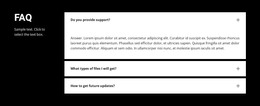
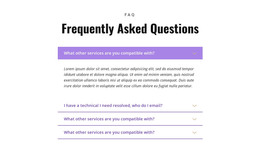
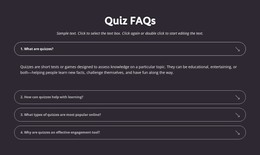
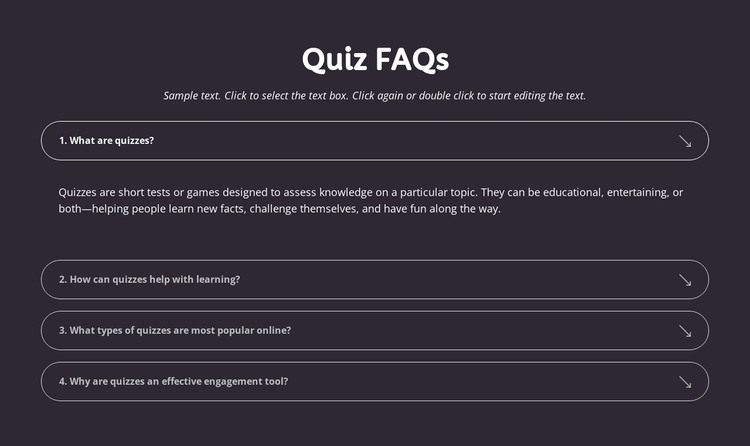
The heading and four question topics make this block suitable for a stable, page-oriented content area in a WordPress-managed site. “Quiz FAQs” introduces the subject, and the opening paragraph can frame the information before visitors choose among questions about quiz definitions, learning support, popular online formats, and engagement. These topics read as durable explanatory content rather than a time-sensitive list, so the section can remain part of a broader learning or quiz page while other site content changes around it.
The accordion preserves the block’s content logic. The first question asks what quizzes are, and its answer is expanded in the presented state; the remaining three questions are arranged beneath it as compact bordered rows. That setup lets the section provide an immediate explanation without displaying every answer at once. The dark charcoal-purple background, white type, thin light outlines, rounded corners, and generous spacing keep the content visually grouped as one reusable page region.
In a WordPress-oriented project, this section can serve as the FAQ portion of a page while the wider site manages other publishable content separately. The block does not need to become a complete theme to provide value: its contribution is the recognizable quiz FAQ content pattern and the interaction that presents answers on demand. Updating the wording of the questions or answers can preserve the same visual structure while keeping the section aligned with the surrounding page’s learning purpose.
Customize with Nicepage
Open this ready-made template in the WordPress Website Builder and customize it visually in the Nicepage editor. Replace demo content, edit page sections, and adapt the design to your project without rebuilding the template from scratch.
Edit Template Offline
2. Create a new page or select existing
3. Click Add new block, search for id 6534722 and click enter
Edit Template Online
Create Awesome Websites


Free Nicepage Builder
Keywords
Manage and Edit This Theme in WordPress
Customize and Install the WordPress Theme
Start with this ready-made theme instead of building the WordPress design from scratch. Customize its layout, content, typography, images, sections, and other design elements visually in Nicepage editor, then export and install the WordPress Theme, Plugin, and Pages on your WordPress site. The Nicepage WordPress Plugin lets you continue working with the site after installation.
Edit the Theme Directly in WordPress
After installation, you can edit the WordPress Theme directly in WordPress with the Nicepage WordPress Plugin. Use Site Style to customize site Colors, Fonts, Header, Footer, Blog, and Post Page Templates while working within your WordPress website.
Edit WordPress Pages Visually
Use the Nicepage WordPress Plugin to edit page content directly from the WordPress admin area. Open a WordPress Page with Nicepage and visually change its text, images, sections, and other page elements while continuing to manage the Page through WordPress.
WordPress Content and Theme Integration
Use the customized theme with WordPress Pages, Posts, Blog and Post Templates, menus, widgets, and other CMS-managed content. Shared theme elements such as Colors, Fonts, Header, Footer, Blog, and Post Page Templates can be managed as part of the overall site design, while WordPress provides the CMS environment for managing site content.
This workflow combines a ready-made WordPress Theme with visual customization, direct theme editing in WordPress, and continued content management through the Nicepage WordPress Plugin.