Asked questions WordPress Theme


Stable FAQ Content With Four Selectable Questions
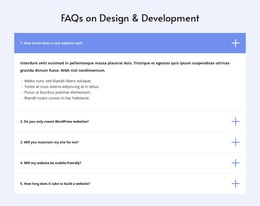
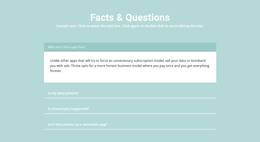
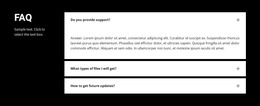
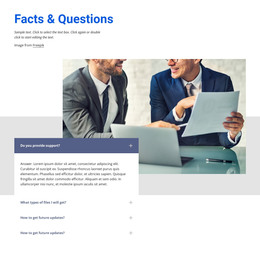
The heading and four question rows form stable informational content that can fit naturally within a WordPress-managed page. The section addresses practical concerns—whether more time is available after a free trial, how a domain name can be connected, whether design or coding skills are needed, and whether the subject resembles a reminders app. These prompts are organized as separate questions, allowing visitors to select the concern relevant to them instead of reading one uninterrupted answer sequence.
The accordion relationship is central to the block’s page-content role. The preview shows the first answer expanded, with the other three rows collapsed, so the section can remain compact while still holding four answer areas. The centered heading and blue divider establish the section’s subject, while the charcoal background, white type, muted inactive rows, and blue open panel keep the content visually distinct from neighboring page sections.
Within a WordPress-oriented project, this block can remain a reusable FAQ region on a stable page while the broader site manages other content around it. The CMS context concerns where the section participates; the block itself remains the same four-question accordion with its existing hierarchy and interaction. That makes it suitable for permanent explanatory content without requiring blog, category, or post assumptions.
Customize with Nicepage
Open this ready-made template in the WordPress Website Builder and customize it visually in the Nicepage editor. Replace demo content, edit page sections, and adapt the design to your project without rebuilding the template from scratch.
Edit Template Offline
2. Create a new page or select existing
3. Click Add new block, search for id 265764 and click enter
Edit Template Online
Create Awesome Websites


Free Nicepage Builder
Keywords
Manage and Edit This Theme in WordPress
Customize and Install the WordPress Theme
Start with this ready-made theme instead of building the WordPress design from scratch. Customize its layout, content, typography, images, sections, and other design elements visually in Nicepage editor, then export and install the WordPress Theme, Plugin, and Pages on your WordPress site. The Nicepage WordPress Plugin lets you continue working with the site after installation.
Edit the Theme Directly in WordPress
After installation, you can edit the WordPress Theme directly in WordPress with the Nicepage WordPress Plugin. Use Site Style to customize site Colors, Fonts, Header, Footer, Blog, and Post Page Templates while working within your WordPress website.
Edit WordPress Pages Visually
Use the Nicepage WordPress Plugin to edit page content directly from the WordPress admin area. Open a WordPress Page with Nicepage and visually change its text, images, sections, and other page elements while continuing to manage the Page through WordPress.
WordPress Content and Theme Integration
Use the customized theme with WordPress Pages, Posts, Blog and Post Templates, menus, widgets, and other CMS-managed content. Shared theme elements such as Colors, Fonts, Header, Footer, Blog, and Post Page Templates can be managed as part of the overall site design, while WordPress provides the CMS environment for managing site content.
This workflow combines a ready-made WordPress Theme with visual customization, direct theme editing in WordPress, and continued content management through the Nicepage WordPress Plugin.