Mastering Search WordPress Theme


Question-Based SEO Content for a WordPress-Managed Page
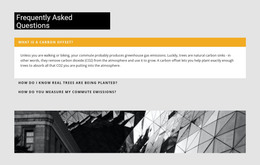
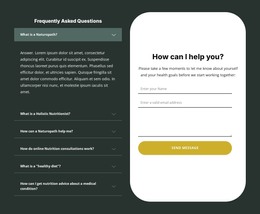
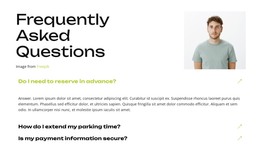
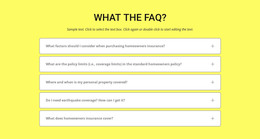
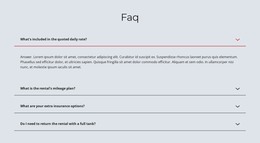
The seven questions give this section a stable page-content role rather than an editorial stream. They address why SEO matters, how long results may take, what an SEO agency offers, whether local SEO is available, how performance is tracked, whether first-page rankings can be guaranteed, and how algorithm updates are handled. Each topic sits in its own accordion item with a trailing expand icon, so visitors can choose which explanation to open. The preview shows the first question expanded and the other six closed, demonstrating the intended balance between visible prompts and revealed answers.
In a WordPress-oriented project, this block can function as a reusable FAQ area on a services page or another permanent content destination. Its value comes from organizing practical questions into a scannable structure that can sit alongside broader service descriptions, proof, or inquiry content. The white background, dark question typography, muted answer text, and purple controls preserve a defined visual pattern while the surrounding site manages its wider content. The supplied answers begin with placeholder-style wording, so the section should receive project-specific explanations before publication. Nicepage’s WordPress Theme, Plugin, and Pages workflow provides relevant CMS context for placing designed content within a broader WordPress project without changing this block into a complete theme.
Customize with Nicepage
Open this ready-made template in the WordPress Website Builder and customize it visually in the Nicepage editor. Replace demo content, edit page sections, and adapt the design to your project without rebuilding the template from scratch.
Edit Template Offline
2. Create a new page or select existing
3. Click Add new block, search for id 6355280 and click enter
Edit Template Online
Create Awesome Websites


Free Nicepage Builder
Keywords
Manage and Edit This Theme in WordPress
Customize and Install the WordPress Theme
Start with this ready-made theme instead of building the WordPress design from scratch. Customize its layout, content, typography, images, sections, and other design elements visually in Nicepage editor, then export and install the WordPress Theme, Plugin, and Pages on your WordPress site. The Nicepage WordPress Plugin lets you continue working with the site after installation.
Edit the Theme Directly in WordPress
After installation, you can edit the WordPress Theme directly in WordPress with the Nicepage WordPress Plugin. Use Site Style to customize site Colors, Fonts, Header, Footer, Blog, and Post Page Templates while working within your WordPress website.
Edit WordPress Pages Visually
Use the Nicepage WordPress Plugin to edit page content directly from the WordPress admin area. Open a WordPress Page with Nicepage and visually change its text, images, sections, and other page elements while continuing to manage the Page through WordPress.
WordPress Content and Theme Integration
Use the customized theme with WordPress Pages, Posts, Blog and Post Templates, menus, widgets, and other CMS-managed content. Shared theme elements such as Colors, Fonts, Header, Footer, Blog, and Post Page Templates can be managed as part of the overall site design, while WordPress provides the CMS environment for managing site content.
This workflow combines a ready-made WordPress Theme with visual customization, direct theme editing in WordPress, and continued content management through the Nicepage WordPress Plugin.