Unlocking Growth Potential WordPress Theme


Edit Template Offline
2. Create new page and search for id 6389782
Edit Template Online
Create Awesome Websites


Free Nicepage Builder
Keywords
Feature Lists and Repeated Profiles Give WordPress Content a Clear Shape
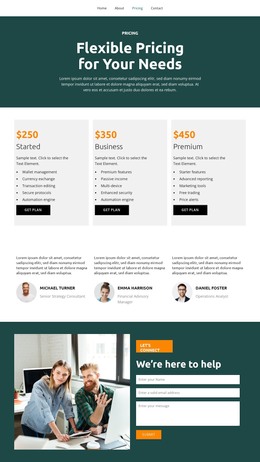
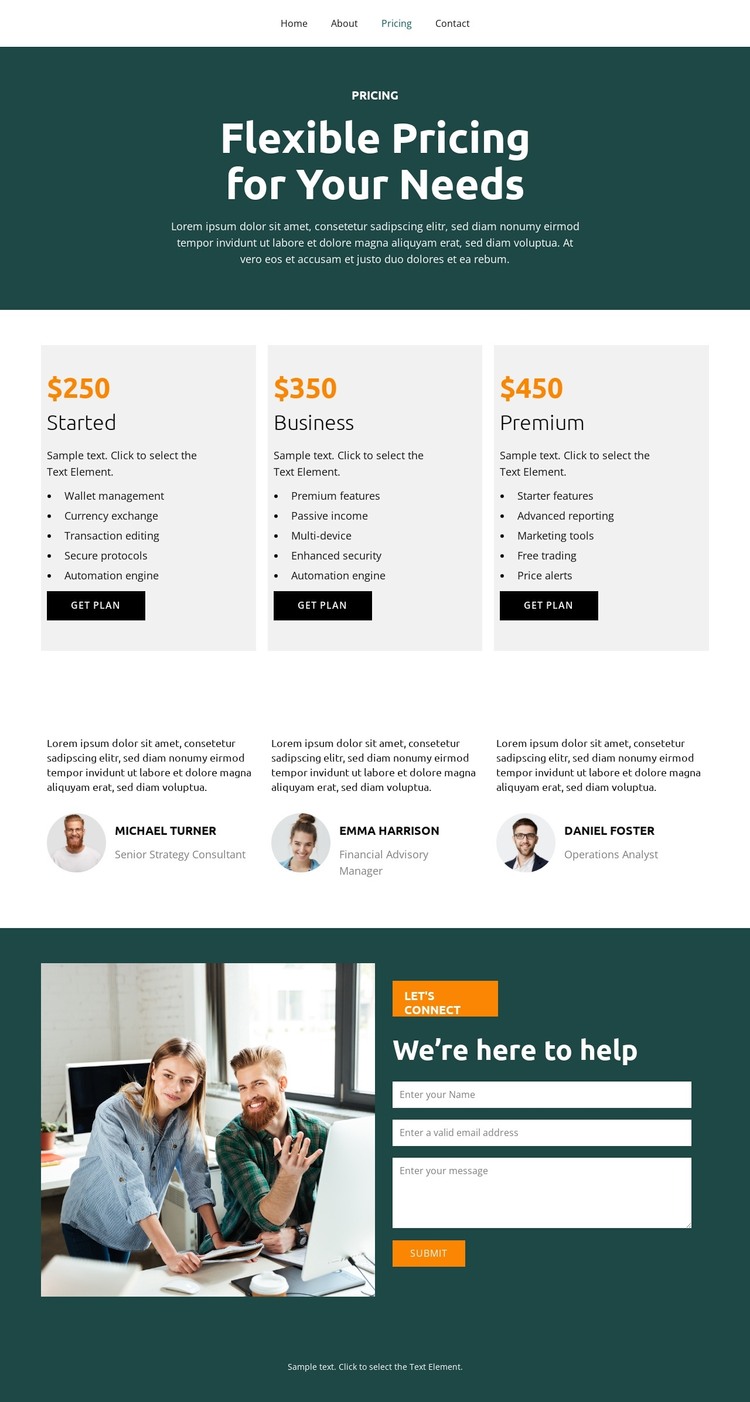
The pricing section is built from three equal cards, each pairing a plan label with a feature list and a “get plan” action. This repeated pattern gives permanent plan information a clear page-oriented structure, while leaving room for the surrounding site to add related explanatory or editorial content without changing the visual character of the design. The dark teal introduction keeps the subject focused on flexible pricing before visitors reach the comparison area.
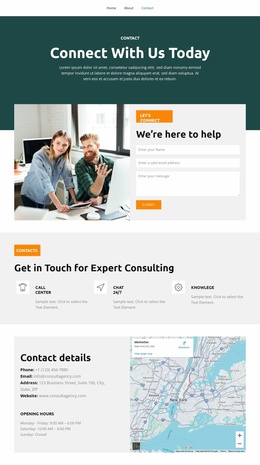
The three testimonial entries create a second content relationship that is especially distinct from the plans. Each profile combines a portrait, quote, and professional title, so supporting voices can be presented as a recurring content format rather than mixed into the plan cards. The contact section then provides a separate destination for assistance, using a large image beside “We’re here to help” copy and a contact inquiry form with a Submit action. This sequence connects plan evaluation with a practical opportunity to ask questions.
Navigation for Home, About, Pricing, and Contact supplies the site-level frame, and the footer closes the page with a shared dark teal treatment. As a WordPress theme, the design can therefore accommodate permanent pricing and contact content alongside future managed page or editorial areas, while the testimonials offer a repeatable pattern for additional supporting material. The analysis confirms these existing regions, but does not imply that blog posts or other WordPress-specific content are already present.
Customize with Nicepage
Open this ready-made template in the WordPress Website Builder and customize it visually in the Nicepage editor. Replace demo content, edit page sections, and adapt the design to your project without rebuilding the template from scratch.
Manage and Edit This Theme in WordPress
Customize and Install the WordPress Theme
Start with this ready-made theme instead of building the WordPress design from scratch. Customize its layout, content, typography, images, sections, and other design elements visually in Nicepage editor, then export and install the WordPress Theme, Plugin, and Pages on your WordPress site. The Nicepage WordPress Plugin lets you continue working with the site after installation.
Edit the Theme Directly in WordPress
After installation, you can edit the WordPress Theme directly in WordPress with the Nicepage WordPress Plugin. Use Site Style to customize site Colors, Fonts, Header, Footer, Blog, and Post Page Templates while working within your WordPress website.
Edit WordPress Pages Visually
Use the Nicepage WordPress Plugin to edit page content directly from the WordPress admin area. Open a WordPress Page with Nicepage and visually change its text, images, sections, and other page elements while continuing to manage the Page through WordPress.
WordPress Content and Theme Integration
Use the customized theme with WordPress Pages, Posts, Blog and Post Templates, menus, widgets, and other CMS-managed content. Shared theme elements such as Colors, Fonts, Header, Footer, Blog, and Post Page Templates can be managed as part of the overall site design, while WordPress provides the CMS environment for managing site content.
This workflow combines a ready-made WordPress Theme with visual customization, direct theme editing in WordPress, and continued content management through the Nicepage WordPress Plugin.