Slider with business info WordPress Theme


Stable About Content With Two Publishable Information States
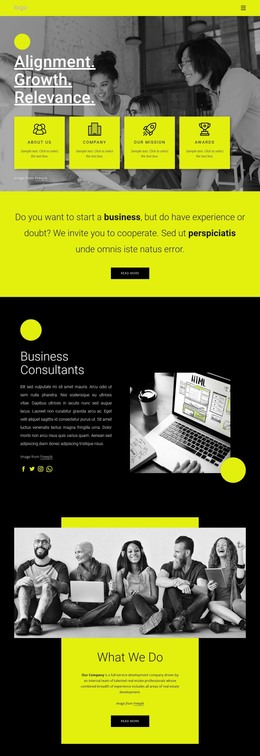
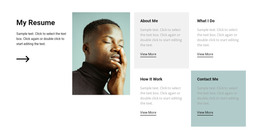
The two slides provide a page-oriented content pattern that can fit a stable business information area in a WordPress-managed project. “about us” offers one introductory subject and “what we do” offers another, with each slide pairing a heading and supporting paragraph with a read more link. This makes the section suitable for content that explains an organization and points visitors toward fuller information, rather than treating the carousel as a stream of time-sensitive posts.
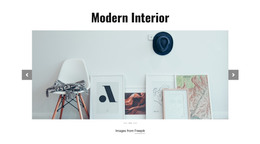
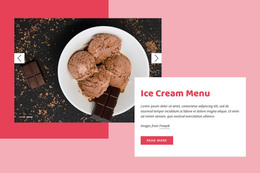
The visual arrangement keeps the content consistent as the active state changes. A pale image fills the wide slide, while the lower overlay preserves the relationship between the heading, explanatory text, and link. Previous and next controls support direct browsing, and the centered indicators make the two available content states visible. The repeated structure gives the section a predictable presentation even when its text and images are updated for the surrounding project.
Within WordPress-oriented page content, this block can occupy one services, about, or introductory region while other sections provide contact details, detailed offerings, proof, or regularly maintained material. Its value lies in the separation of two related messages inside one visual area. The section can participate in a broader theme and page structure without being treated as the complete WordPress theme itself.
Customize with Nicepage
Open this ready-made template in the WordPress Website Builder and customize it visually in the Nicepage editor. Replace demo content, edit page sections, and adapt the design to your project without rebuilding the template from scratch.
Edit Template Offline
2. Create a new page or select existing
3. Click Add new block, search for id 96164 and click enter
Edit Template Online
Create Awesome Websites


Free Nicepage Builder
Keywords
Manage and Edit This Theme in WordPress
Customize and Install the WordPress Theme
Start with this ready-made theme instead of building the WordPress design from scratch. Customize its layout, content, typography, images, sections, and other design elements visually in Nicepage editor, then export and install the WordPress Theme, Plugin, and Pages on your WordPress site. The Nicepage WordPress Plugin lets you continue working with the site after installation.
Edit the Theme Directly in WordPress
After installation, you can edit the WordPress Theme directly in WordPress with the Nicepage WordPress Plugin. Use Site Style to customize site Colors, Fonts, Header, Footer, Blog, and Post Page Templates while working within your WordPress website.
Edit WordPress Pages Visually
Use the Nicepage WordPress Plugin to edit page content directly from the WordPress admin area. Open a WordPress Page with Nicepage and visually change its text, images, sections, and other page elements while continuing to manage the Page through WordPress.
WordPress Content and Theme Integration
Use the customized theme with WordPress Pages, Posts, Blog and Post Templates, menus, widgets, and other CMS-managed content. Shared theme elements such as Colors, Fonts, Header, Footer, Blog, and Post Page Templates can be managed as part of the overall site design, while WordPress provides the CMS environment for managing site content.
This workflow combines a ready-made WordPress Theme with visual customization, direct theme editing in WordPress, and continued content management through the Nicepage WordPress Plugin.