Secret beauty tips WordPress Theme


Beauty-Tip Copy Forms a Stable Page Content Area
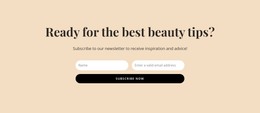
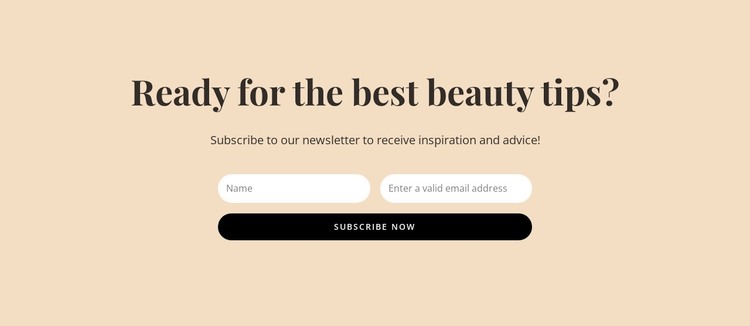
The phrase “Ready for the best beauty tips?” gives this section a direct editorial focus, and the supporting invitation explains why a visitor might provide contact details. Below that message, the separate name and email inputs create a simple content model for subscriber information; placing them side by side keeps the collection area compact before the full-width “Subscribe now” control. The result is a clearly bounded form section rather than a general promotional layout.
In a WordPress-managed page, this block can be treated as stable newsletter content within a wider beauty or lifestyle project. The heading and invitation can remain part of the page’s designed content, while the surrounding site handles other information areas separately. The block’s contribution is the relationship between beauty-tip messaging and a subscription response, not a complete theme or site structure. That makes it suitable for a page section that encourages visitors to join an ongoing content update or inspiration list.
Its visual styling reinforces the content role without overwhelming it. The warm pale beige background creates a calm field for the message, dark brown type establishes the reading hierarchy, and white pill-shaped fields distinguish the two requested details. The black rounded button provides a clear endpoint for the form. Together, these elements give WordPress-oriented page content a recognizable section pattern that can remain consistent with related blocks while retaining its own purpose.
Customize with Nicepage
Open this ready-made template in the WordPress Website Builder and customize it visually in the Nicepage editor. Replace demo content, edit page sections, and adapt the design to your project without rebuilding the template from scratch.
Edit Template Offline
2. Create a new page or select existing
3. Click Add new block, search for id 5788657 and click enter
Edit Template Online
Create Awesome Websites


Free Nicepage Builder
Keywords
Manage and Edit This Theme in WordPress
Customize and Install the WordPress Theme
Start with this ready-made theme instead of building the WordPress design from scratch. Customize its layout, content, typography, images, sections, and other design elements visually in Nicepage editor, then export and install the WordPress Theme, Plugin, and Pages on your WordPress site. The Nicepage WordPress Plugin lets you continue working with the site after installation.
Edit the Theme Directly in WordPress
After installation, you can edit the WordPress Theme directly in WordPress with the Nicepage WordPress Plugin. Use Site Style to customize site Colors, Fonts, Header, Footer, Blog, and Post Page Templates while working within your WordPress website.
Edit WordPress Pages Visually
Use the Nicepage WordPress Plugin to edit page content directly from the WordPress admin area. Open a WordPress Page with Nicepage and visually change its text, images, sections, and other page elements while continuing to manage the Page through WordPress.
WordPress Content and Theme Integration
Use the customized theme with WordPress Pages, Posts, Blog and Post Templates, menus, widgets, and other CMS-managed content. Shared theme elements such as Colors, Fonts, Header, Footer, Blog, and Post Page Templates can be managed as part of the overall site design, while WordPress provides the CMS environment for managing site content.
This workflow combines a ready-made WordPress Theme with visual customization, direct theme editing in WordPress, and continued content management through the Nicepage WordPress Plugin.