Looking for Business Ideas WordPress Theme



Edit Template Offline
2. Create new page and search for id 2291563
Edit Template Online
Create Awesome Websites


Free Nicepage Builder
Keywords
Service Cards, Testimonials, and Partner Marks Give WordPress Content Clear Roles
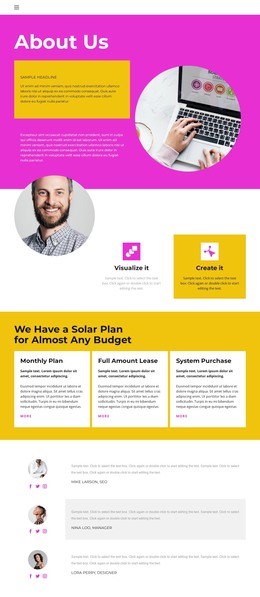
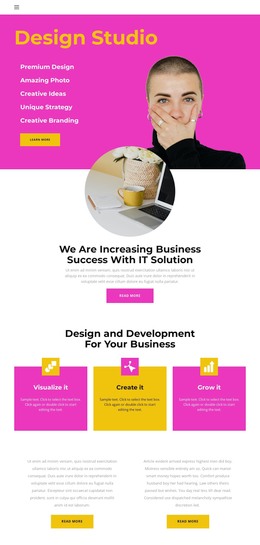
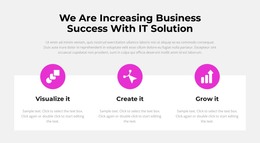
The capability list in the opening section gives the theme a page-oriented starting point for permanent studio content. Premium Design, Amazing Photo, Creative Ideas, Unique Strategy, and Creative Branding describe distinct areas that can be developed as separate explanations or grouped into a broader services presentation. The three colored cards create a second layer of content organization through the sequence Visualize it, Create it, and Grow it, making the design suitable for presenting a repeatable creative process without claiming that any particular WordPress content type already exists.
The testimonial areas and partner marks provide different kinds of supporting material. One testimonial appears within the How it works section, where it can reinforce a process explanation; another sits over a dark photographic background, giving social proof a stronger visual emphasis. The row of five partner or brand marks can support a compact credibility area, while the collaboration statement speaks directly to brands and agencies. Together, these elements give a WordPress-managed project distinct places for service information, editorial updates, client proof, and shared site identity, subject to the final content structure.
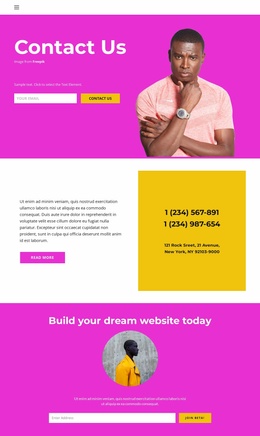
The subscription-style email form and Join Beta action create a natural closing interaction for the current page. If the project adds regularly updated studio news or case-study content, those additions can be placed around the established service, testimonial, and navigation framework while preserving the theme’s magenta, yellow, dark, and circular-image character.
Customize with Nicepage
Open this ready-made template in the WordPress Website Builder and customize it visually in the Nicepage editor. Replace demo content, edit page sections, and adapt the design to your project without rebuilding the template from scratch.
Manage and Edit This Theme in WordPress
Customize and Install the WordPress Theme
Start with this ready-made theme instead of building the WordPress design from scratch. Customize its layout, content, typography, images, sections, and other design elements visually in Nicepage editor, then export and install the WordPress Theme, Plugin, and Pages on your WordPress site. The Nicepage WordPress Plugin lets you continue working with the site after installation.
Edit the Theme Directly in WordPress
After installation, you can edit the WordPress Theme directly in WordPress with the Nicepage WordPress Plugin. Use Site Style to customize site Colors, Fonts, Header, Footer, Blog, and Post Page Templates while working within your WordPress website.
Edit WordPress Pages Visually
Use the Nicepage WordPress Plugin to edit page content directly from the WordPress admin area. Open a WordPress Page with Nicepage and visually change its text, images, sections, and other page elements while continuing to manage the Page through WordPress.
WordPress Content and Theme Integration
Use the customized theme with WordPress Pages, Posts, Blog and Post Templates, menus, widgets, and other CMS-managed content. Shared theme elements such as Colors, Fonts, Header, Footer, Blog, and Post Page Templates can be managed as part of the overall site design, while WordPress provides the CMS environment for managing site content.
This workflow combines a ready-made WordPress Theme with visual customization, direct theme editing in WordPress, and continued content management through the Nicepage WordPress Plugin.