Do Good, Be Good WordPress Theme


Labeled Metrics Turn Into Stable WordPress Page Content
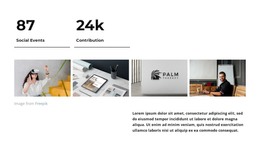
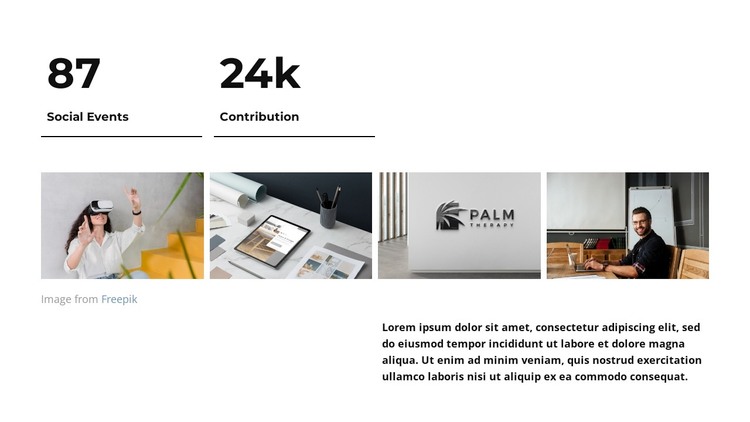
The 87 Social Events and 24k Contribution counters give this section a clear page-content role rather than a time-sensitive stream of individual entries. Each value is paired with its own label and divider, creating two readable information units that can introduce measurable context on a WordPress-managed page. The numbers remain visible presentation content for the section, while the wider project can determine how surrounding copy explains them.
Below the metrics, the four-image row broadens the content from numerical summary to visual reference. Its subjects include virtual reality use, a tablet workspace, a Palm visual identity, and a person working at a desk. The repeated rectangular format keeps these images connected as one gallery area, and the confirmed lightbox behavior gives each image a closer viewing state without changing the block into a separate content type.
The supporting paragraph occupies the lower-right area beneath the gallery, adding an explanatory layer after the counters and imagery. In a WordPress-oriented project, this combination can function as stable content on a services, organization, or project page while other blocks carry headings, navigation, detailed articles, or contact information. The section can therefore retain its visual arrangement as the surrounding page content develops, with the counters, gallery, paragraph, and spacing continuing to define its specific role.
Customize with Nicepage
Open this ready-made template in the WordPress Website Builder and customize it visually in the Nicepage editor. Replace demo content, edit page sections, and adapt the design to your project without rebuilding the template from scratch.
Edit Template Offline
2. Create a new page or select existing
3. Click Add new block, search for id 6249658 and click enter
Edit Template Online
Create Awesome Websites


Free Nicepage Builder
Keywords
Manage and Edit This Theme in WordPress
Customize and Install the WordPress Theme
Start with this ready-made theme instead of building the WordPress design from scratch. Customize its layout, content, typography, images, sections, and other design elements visually in Nicepage editor, then export and install the WordPress Theme, Plugin, and Pages on your WordPress site. The Nicepage WordPress Plugin lets you continue working with the site after installation.
Edit the Theme Directly in WordPress
After installation, you can edit the WordPress Theme directly in WordPress with the Nicepage WordPress Plugin. Use Site Style to customize site Colors, Fonts, Header, Footer, Blog, and Post Page Templates while working within your WordPress website.
Edit WordPress Pages Visually
Use the Nicepage WordPress Plugin to edit page content directly from the WordPress admin area. Open a WordPress Page with Nicepage and visually change its text, images, sections, and other page elements while continuing to manage the Page through WordPress.
WordPress Content and Theme Integration
Use the customized theme with WordPress Pages, Posts, Blog and Post Templates, menus, widgets, and other CMS-managed content. Shared theme elements such as Colors, Fonts, Header, Footer, Blog, and Post Page Templates can be managed as part of the overall site design, while WordPress provides the CMS environment for managing site content.
This workflow combines a ready-made WordPress Theme with visual customization, direct theme editing in WordPress, and continued content management through the Nicepage WordPress Plugin.