Business Insider WordPress Theme


A Stable Brand-Statistics Section for WordPress Page Content
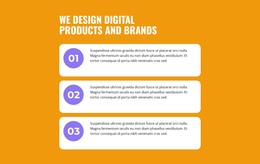
The heading “We design digital products and brands” gives this section a durable subject for a WordPress-managed page. The green circular marker labeled 01 introduces the content sequence, while the supporting paragraph adds context before visitors reach the statistics. Together, these elements read as established informational content rather than a time-sensitive update, making the block suitable for a services, capabilities, or brand-presentation area maintained as part of a wider page.
The three percentage values—30%, 60%, and 10%—form the section’s main content pattern. Each oversized number sits in a left-hand column with explanatory text aligned beside it, so the repeated rows can be scanned quickly while retaining room for interpretation. The vertical arrangement keeps the figures in a clear order and avoids the denser feel of a multi-column metrics grid. The block is static, allowing its meaning to remain available without depending on interaction.
In a WordPress context, this reusable section can provide a consistent visual home for page-oriented information while other content areas handle deeper service details, project examples, or contact information. Its light gray surface, strong black type, muted copy, and bright green accent establish a recognizable presentation that can sit within a broader theme without being mistaken for the complete theme itself.
Customize with Nicepage
Open this ready-made template in the WordPress Website Builder and customize it visually in the Nicepage editor. Replace demo content, edit page sections, and adapt the design to your project without rebuilding the template from scratch.
Edit Template Offline
2. Create a new page or select existing
3. Click Add new block, search for id 2315238 and click enter
Edit Template Online
Create Awesome Websites


Free Nicepage Builder
Keywords
Manage and Edit This Theme in WordPress
Customize and Install the WordPress Theme
Start with this ready-made theme instead of building the WordPress design from scratch. Customize its layout, content, typography, images, sections, and other design elements visually in Nicepage editor, then export and install the WordPress Theme, Plugin, and Pages on your WordPress site. The Nicepage WordPress Plugin lets you continue working with the site after installation.
Edit the Theme Directly in WordPress
After installation, you can edit the WordPress Theme directly in WordPress with the Nicepage WordPress Plugin. Use Site Style to customize site Colors, Fonts, Header, Footer, Blog, and Post Page Templates while working within your WordPress website.
Edit WordPress Pages Visually
Use the Nicepage WordPress Plugin to edit page content directly from the WordPress admin area. Open a WordPress Page with Nicepage and visually change its text, images, sections, and other page elements while continuing to manage the Page through WordPress.
WordPress Content and Theme Integration
Use the customized theme with WordPress Pages, Posts, Blog and Post Templates, menus, widgets, and other CMS-managed content. Shared theme elements such as Colors, Fonts, Header, Footer, Blog, and Post Page Templates can be managed as part of the overall site design, while WordPress provides the CMS environment for managing site content.
This workflow combines a ready-made WordPress Theme with visual customization, direct theme editing in WordPress, and continued content management through the Nicepage WordPress Plugin.