Power Your Passion for Sports WordPress Theme


Publishable App Information With a Clear Download Path
The section’s left side reads as durable product content that can sit on a WordPress-managed page. The heading introduces the sports focus, while the Fitness Distance Tracker description gives visitors concrete information about distance, average pace, pace per mile or kilometer, and a run log. Because the two download badges appear directly beneath that copy, the content has a practical sequence: understand what the app tracks, then choose the relevant store destination.
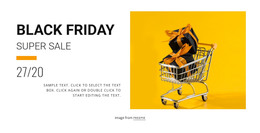
The single image on the right supports this page-content role through visual context rather than additional product claims. Its warm orange treatment stands apart from the white background, and the bold black typography keeps the text hierarchy distinct from the photograph. The compact, left-aligned column also prevents the product explanation from being diluted by the large image area. Together, these relationships make the section suitable for a stable app or product area within a broader WordPress-managed project.
The block can retain its visual arrangement while other WordPress-managed content handles deeper feature explanations, articles, support information, or related offerings. Its role is therefore a focused, reusable product section rather than a complete theme. The paired badges remain important because they connect the descriptive content to two separate access choices without requiring the block to carry the entire product journey.
Customize with Nicepage
Open this ready-made template in the WordPress Website Builder and customize it visually in the Nicepage editor. Replace demo content, edit page sections, and adapt the design to your project without rebuilding the template from scratch.
Edit Template Offline
2. Create a new page or select existing
3. Click Add new block, search for id 52294 and click enter
Edit Template Online
Create Awesome Websites


Free Nicepage Builder
Keywords
Manage and Edit This Theme in WordPress
Customize and Install the WordPress Theme
Start with this ready-made theme instead of building the WordPress design from scratch. Customize its layout, content, typography, images, sections, and other design elements visually in Nicepage editor, then export and install the WordPress Theme, Plugin, and Pages on your WordPress site. The Nicepage WordPress Plugin lets you continue working with the site after installation.
Edit the Theme Directly in WordPress
After installation, you can edit the WordPress Theme directly in WordPress with the Nicepage WordPress Plugin. Use Site Style to customize site Colors, Fonts, Header, Footer, Blog, and Post Page Templates while working within your WordPress website.
Edit WordPress Pages Visually
Use the Nicepage WordPress Plugin to edit page content directly from the WordPress admin area. Open a WordPress Page with Nicepage and visually change its text, images, sections, and other page elements while continuing to manage the Page through WordPress.
WordPress Content and Theme Integration
Use the customized theme with WordPress Pages, Posts, Blog and Post Templates, menus, widgets, and other CMS-managed content. Shared theme elements such as Colors, Fonts, Header, Footer, Blog, and Post Page Templates can be managed as part of the overall site design, while WordPress provides the CMS environment for managing site content.
This workflow combines a ready-made WordPress Theme with visual customization, direct theme editing in WordPress, and continued content management through the Nicepage WordPress Plugin.