Indvidual consultation WordPress Theme


A Consultation Invitation With Stable Page Content
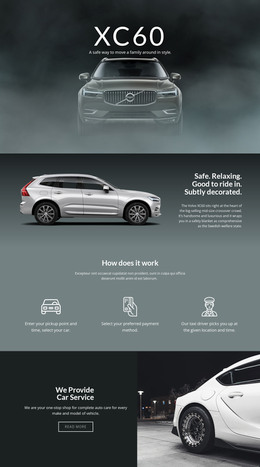
The left side of the section carries a clear consultation message: the eyebrow “Good to ride in. Subtly decorated.” leads into “Individual consultation,” followed by copy about electrification of fleets in goods transportation and a face-to-face discussion. This sequence reads as stable explanatory content rather than a collection of frequently changing items. The separate right-side statement, “Safe. Relaxing.”, adds a concise supporting impression without taking over the main message.
The visual structure strengthens that page-content role. A nighttime road image fills the block, with bright white and red vehicle light trails creating a transportation-related backdrop. White typography remains highly contrasted against the dark blue-black image, while the left-aligned primary group and narrow vertical statement create a deliberate two-area composition. There are no visible cards or additional interactive components competing with the consultation invitation.
In a WordPress-managed page, the section can function as a stable consultation or service-content area within a broader transportation site. Other CMS-managed page content may explain fleet electrification in more depth, while a separate contact mechanism can handle the next response step. The block itself contributes the focused message and visual setting: its heading, paragraph, and supporting statements remain a self-contained section that can be placed within the surrounding page design without being treated as a complete theme.
Customize with Nicepage
Open this ready-made template in the WordPress Website Builder and customize it visually in the Nicepage editor. Replace demo content, edit page sections, and adapt the design to your project without rebuilding the template from scratch.
Edit Template Offline
2. Create a new page or select existing
3. Click Add new block, search for id 50270 and click enter
Edit Template Online
Create Awesome Websites


Free Nicepage Builder
Keywords
Manage and Edit This Theme in WordPress
Customize and Install the WordPress Theme
Start with this ready-made theme instead of building the WordPress design from scratch. Customize its layout, content, typography, images, sections, and other design elements visually in Nicepage editor, then export and install the WordPress Theme, Plugin, and Pages on your WordPress site. The Nicepage WordPress Plugin lets you continue working with the site after installation.
Edit the Theme Directly in WordPress
After installation, you can edit the WordPress Theme directly in WordPress with the Nicepage WordPress Plugin. Use Site Style to customize site Colors, Fonts, Header, Footer, Blog, and Post Page Templates while working within your WordPress website.
Edit WordPress Pages Visually
Use the Nicepage WordPress Plugin to edit page content directly from the WordPress admin area. Open a WordPress Page with Nicepage and visually change its text, images, sections, and other page elements while continuing to manage the Page through WordPress.
WordPress Content and Theme Integration
Use the customized theme with WordPress Pages, Posts, Blog and Post Templates, menus, widgets, and other CMS-managed content. Shared theme elements such as Colors, Fonts, Header, Footer, Blog, and Post Page Templates can be managed as part of the overall site design, while WordPress provides the CMS environment for managing site content.
This workflow combines a ready-made WordPress Theme with visual customization, direct theme editing in WordPress, and continued content management through the Nicepage WordPress Plugin.