Team Creative Brains WordPress Theme



The “Our Team” Row Keeps Personnel Content Consistent
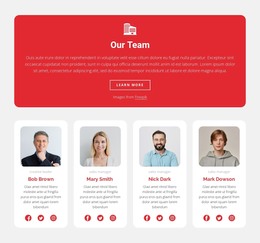
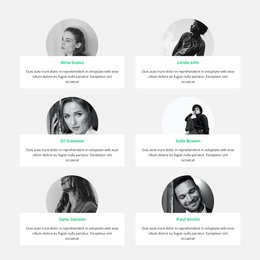
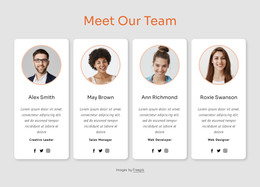
The three cards turn the section into a compact, page-oriented team content area. The “Creative Brains” label and “Our Team” heading introduce the group, then each repeated card pairs a portrait with a name and role. Mike Roberts carries the Vice President label, Nick Perry the Manager label, and Tom Hudson the Director label. This repeated pattern gives each represented person the same amount of space and the same information structure, which is useful when a WordPress-managed page needs stable team content rather than a dense paragraph about the organization.
The white background and centered typography keep the section visually calm, while the light-gray card surfaces create a clear boundary around each portrait and its identifying text. In a WordPress-oriented project, this block can sit as a reusable team section within a page whose wider content is managed elsewhere in the site. The section can support an About or company-information context, while other page areas handle services, projects, contact details, or additional explanations. Its value comes from keeping the people-focused content visually organized: the heading names the group, the three-column row establishes comparison, and the role labels add concise structure beneath the portraits. The block remains one content region rather than a standalone theme, allowing the surrounding WordPress page to define the broader publishing context.
Customize with Nicepage
Open this ready-made template in the WordPress Website Builder and customize it visually in the Nicepage editor. Replace demo content, edit page sections, and adapt the design to your project without rebuilding the template from scratch.
Edit Template Offline
2. Create a new page or select existing
3. Click Add new block, search for id 42242 and click enter
Edit Template Online
Create Awesome Websites


Free Nicepage Builder
Keywords
Manage and Edit This Theme in WordPress
Customize and Install the WordPress Theme
Start with this ready-made theme instead of building the WordPress design from scratch. Customize its layout, content, typography, images, sections, and other design elements visually in Nicepage editor, then export and install the WordPress Theme, Plugin, and Pages on your WordPress site. The Nicepage WordPress Plugin lets you continue working with the site after installation.
Edit the Theme Directly in WordPress
After installation, you can edit the WordPress Theme directly in WordPress with the Nicepage WordPress Plugin. Use Site Style to customize site Colors, Fonts, Header, Footer, Blog, and Post Page Templates while working within your WordPress website.
Edit WordPress Pages Visually
Use the Nicepage WordPress Plugin to edit page content directly from the WordPress admin area. Open a WordPress Page with Nicepage and visually change its text, images, sections, and other page elements while continuing to manage the Page through WordPress.
WordPress Content and Theme Integration
Use the customized theme with WordPress Pages, Posts, Blog and Post Templates, menus, widgets, and other CMS-managed content. Shared theme elements such as Colors, Fonts, Header, Footer, Blog, and Post Page Templates can be managed as part of the overall site design, while WordPress provides the CMS environment for managing site content.
This workflow combines a ready-made WordPress Theme with visual customization, direct theme editing in WordPress, and continued content management through the Nicepage WordPress Plugin.