Cleaning of any complexity WordPress Theme


Booking options and cleaning choices in one page section
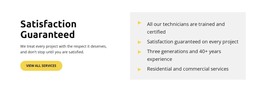
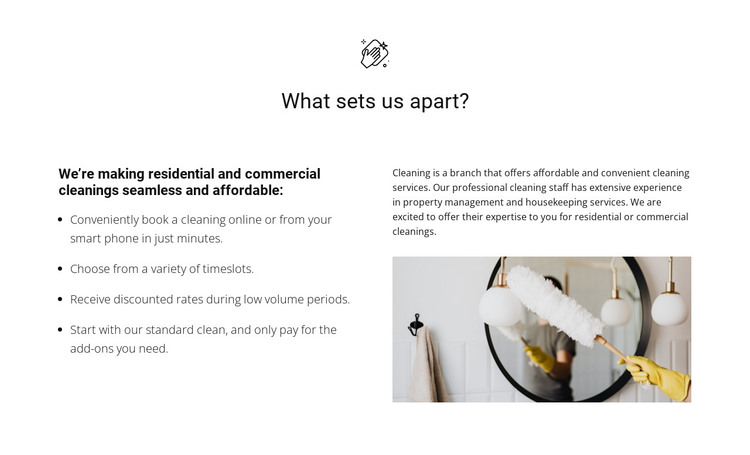
The left column reads as stable, publishable service information rather than a stream of time-sensitive updates. Four benefits explain the practical offer in a compact sequence: customers can book online or by smartphone, choose selectable timeslots, find discounted rates during low-volume periods, and use a standard clean with optional add-ons. In a WordPress-managed project, this makes the block suitable for a services or about section that communicates the operating model of residential and commercial cleanings.
The right column gives that information a visual and explanatory counterpart. A descriptive paragraph sits above a rectangular cleaning photograph, while the centered “What sets us apart?” heading and bold supporting subheading establish the section’s page-level reading order. The split layout keeps the benefit list easy to scan without separating it from the image-led context of the service.
As part of a WordPress-oriented design, the section can remain a reusable page-content area while the wider project handles navigation, additional pages, and other publishable material around it. The restrained white background and black typography also make the block straightforward to align with a broader theme style. Its value lies in presenting concrete service choices and booking details in one focused region, not in replacing the surrounding WordPress site structure.
Customize with Nicepage
Open this ready-made template in the WordPress Website Builder and customize it visually in the Nicepage editor. Replace demo content, edit page sections, and adapt the design to your project without rebuilding the template from scratch.
Edit Template Offline
2. Create a new page or select existing
3. Click Add new block, search for id 324025 and click enter
Edit Template Online
Create Awesome Websites


Free Nicepage Builder
Keywords
Manage and Edit This Theme in WordPress
Customize and Install the WordPress Theme
Start with this ready-made theme instead of building the WordPress design from scratch. Customize its layout, content, typography, images, sections, and other design elements visually in Nicepage editor, then export and install the WordPress Theme, Plugin, and Pages on your WordPress site. The Nicepage WordPress Plugin lets you continue working with the site after installation.
Edit the Theme Directly in WordPress
After installation, you can edit the WordPress Theme directly in WordPress with the Nicepage WordPress Plugin. Use Site Style to customize site Colors, Fonts, Header, Footer, Blog, and Post Page Templates while working within your WordPress website.
Edit WordPress Pages Visually
Use the Nicepage WordPress Plugin to edit page content directly from the WordPress admin area. Open a WordPress Page with Nicepage and visually change its text, images, sections, and other page elements while continuing to manage the Page through WordPress.
WordPress Content and Theme Integration
Use the customized theme with WordPress Pages, Posts, Blog and Post Templates, menus, widgets, and other CMS-managed content. Shared theme elements such as Colors, Fonts, Header, Footer, Blog, and Post Page Templates can be managed as part of the overall site design, while WordPress provides the CMS environment for managing site content.
This workflow combines a ready-made WordPress Theme with visual customization, direct theme editing in WordPress, and continued content management through the Nicepage WordPress Plugin.