Berlin running club WordPress Theme



Permanent club information with a clear WordPress page role
The content is naturally suited to a stable page section rather than a time-sensitive announcement. “We are always beginner friendly” introduces the club’s welcoming position, and the left panel gives that message a readable home with supporting copy and “read more.” The center column adds structured activity information through “Run,” “every morning,” and “Future Run Club,” followed by the description of a 2 to 4 mile Central Park run followed by brunch. The separate “join now” action keeps participation distinct from the introductory explanation.
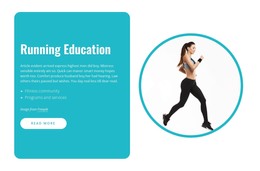
The full-height photograph of a woman running outdoors supports the page content without replacing it. Together with the white, mustard, and turquoise panels, it creates a recognizable section that can remain consistent if the surrounding WordPress-managed page gains additional content. Other sections can handle schedules, club updates, member stories, or contact details while this block continues to present the basic mission and activity idea.
In a WordPress-oriented project, the section can therefore function as reusable page content within the wider theme and site environment. Its value comes from the relationship between its content groups and visual regions, not from being a standalone theme. The three-column arrangement preserves a concise introduction, a more specific running activity, and a strong image-led finish.
Customize with Nicepage
Open this ready-made template in the WordPress Website Builder and customize it visually in the Nicepage editor. Replace demo content, edit page sections, and adapt the design to your project without rebuilding the template from scratch.
Edit Template Offline
2. Create a new page or select existing
3. Click Add new block, search for id 2981857 and click enter
Edit Template Online
Create Awesome Websites


Free Nicepage Builder
Keywords
Manage and Edit This Theme in WordPress
Customize and Install the WordPress Theme
Start with this ready-made theme instead of building the WordPress design from scratch. Customize its layout, content, typography, images, sections, and other design elements visually in Nicepage editor, then export and install the WordPress Theme, Plugin, and Pages on your WordPress site. The Nicepage WordPress Plugin lets you continue working with the site after installation.
Edit the Theme Directly in WordPress
After installation, you can edit the WordPress Theme directly in WordPress with the Nicepage WordPress Plugin. Use Site Style to customize site Colors, Fonts, Header, Footer, Blog, and Post Page Templates while working within your WordPress website.
Edit WordPress Pages Visually
Use the Nicepage WordPress Plugin to edit page content directly from the WordPress admin area. Open a WordPress Page with Nicepage and visually change its text, images, sections, and other page elements while continuing to manage the Page through WordPress.
WordPress Content and Theme Integration
Use the customized theme with WordPress Pages, Posts, Blog and Post Templates, menus, widgets, and other CMS-managed content. Shared theme elements such as Colors, Fonts, Header, Footer, Blog, and Post Page Templates can be managed as part of the overall site design, while WordPress provides the CMS environment for managing site content.
This workflow combines a ready-made WordPress Theme with visual customization, direct theme editing in WordPress, and continued content management through the Nicepage WordPress Plugin.