Detailed work plan WordPress Theme


Visualize It, Create It, and Grow It as Stable Page Content
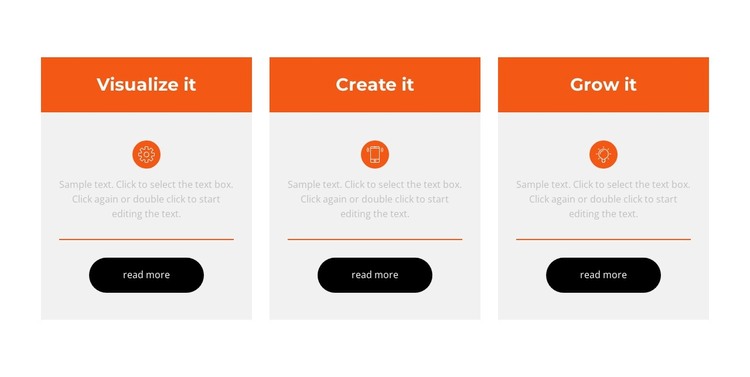
The three named cards provide a compact content model for a WordPress-managed page: each item has a heading, a circular icon, descriptive copy, and its own read more button. Visualize it, Create it, and Grow it suggest a connected progression, but the equal-width arrangement keeps every item at the same structural level. This makes the block suitable for stable feature or process information that should remain visually organized within page content.
The card design separates the items without making them independent page structures. Light-gray rectangular surfaces define each content area, orange title bands and dividers connect the visual treatment, and centered typography keeps the three units aligned. The black rounded buttons give each item a clear action point, allowing related supporting information to be reached without changing the overall layout of the section.
In a WordPress-oriented project, this block can function as a reusable visual content area on a page while other CMS-managed material surrounds it. Its value comes from the relationship between repeatable content and repeatable presentation: updating the wording or destinations can preserve the recognizable three-card pattern. The section can therefore support a broader page without being mistaken for a complete WordPress Theme or an entire site structure.
Customize with Nicepage
Open this ready-made template in the WordPress Website Builder and customize it visually in the Nicepage editor. Replace demo content, edit page sections, and adapt the design to your project without rebuilding the template from scratch.
Edit Template Offline
2. Create a new page or select existing
3. Click Add new block, search for id 2772107 and click enter
Edit Template Online
Create Awesome Websites


Free Nicepage Builder
Keywords
Manage and Edit This Theme in WordPress
Customize and Install the WordPress Theme
Start with this ready-made theme instead of building the WordPress design from scratch. Customize its layout, content, typography, images, sections, and other design elements visually in Nicepage editor, then export and install the WordPress Theme, Plugin, and Pages on your WordPress site. The Nicepage WordPress Plugin lets you continue working with the site after installation.
Edit the Theme Directly in WordPress
After installation, you can edit the WordPress Theme directly in WordPress with the Nicepage WordPress Plugin. Use Site Style to customize site Colors, Fonts, Header, Footer, Blog, and Post Page Templates while working within your WordPress website.
Edit WordPress Pages Visually
Use the Nicepage WordPress Plugin to edit page content directly from the WordPress admin area. Open a WordPress Page with Nicepage and visually change its text, images, sections, and other page elements while continuing to manage the Page through WordPress.
WordPress Content and Theme Integration
Use the customized theme with WordPress Pages, Posts, Blog and Post Templates, menus, widgets, and other CMS-managed content. Shared theme elements such as Colors, Fonts, Header, Footer, Blog, and Post Page Templates can be managed as part of the overall site design, while WordPress provides the CMS environment for managing site content.
This workflow combines a ready-made WordPress Theme with visual customization, direct theme editing in WordPress, and continued content management through the Nicepage WordPress Plugin.