The most common problems WordPress Theme


Stable Rental FAQ Content for a Managed Page
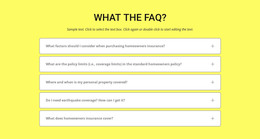
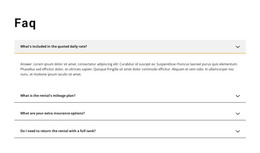
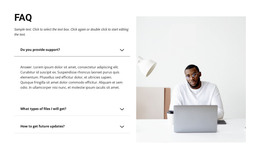
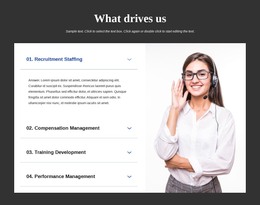
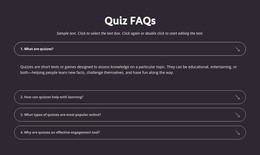
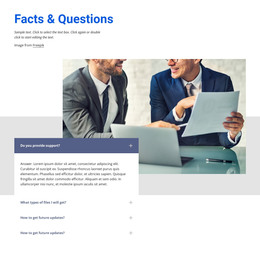
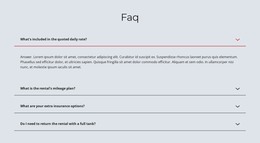
The heading and four question rows read as durable informational content for a rental-related page. They organize practical subjects that visitors may need to review repeatedly: daily-rate inclusions, mileage planning, insurance options, and fuel-return requirements. The topics are separated into individual accordion items, so the content remains recognizable and maintainable as one focused page section rather than becoming a dense paragraph.
The first answer is expanded in the supplied state, illustrating how one item can provide immediate detail while the other three retain their compact labels. Right-aligned chevrons communicate the available interaction, and the single-column structure keeps the order of the questions visible. The white rows and dark dividers create a neutral content surface; the light gray active fill and yellow lower accent distinguish the selected item without changing the section’s underlying structure.
In a WordPress-oriented project, this block can occupy stable page content within the wider site’s managed presentation. The section itself continues to supply the FAQ hierarchy and visual behavior, while other site content can address vehicles, rental offers, contact details, or editorial updates. Its usefulness comes from preserving a clear, reusable answer area whose four topics remain easy to scan and revisit.
Customize with Nicepage
Open this ready-made template in the WordPress Website Builder and customize it visually in the Nicepage editor. Replace demo content, edit page sections, and adapt the design to your project without rebuilding the template from scratch.
Edit Template Offline
2. Create a new page or select existing
3. Click Add new block, search for id 387950 and click enter
Edit Template Online
Create Awesome Websites


Free Nicepage Builder
Keywords
Manage and Edit This Theme in WordPress
Customize and Install the WordPress Theme
Start with this ready-made theme instead of building the WordPress design from scratch. Customize its layout, content, typography, images, sections, and other design elements visually in Nicepage editor, then export and install the WordPress Theme, Plugin, and Pages on your WordPress site. The Nicepage WordPress Plugin lets you continue working with the site after installation.
Edit the Theme Directly in WordPress
After installation, you can edit the WordPress Theme directly in WordPress with the Nicepage WordPress Plugin. Use Site Style to customize site Colors, Fonts, Header, Footer, Blog, and Post Page Templates while working within your WordPress website.
Edit WordPress Pages Visually
Use the Nicepage WordPress Plugin to edit page content directly from the WordPress admin area. Open a WordPress Page with Nicepage and visually change its text, images, sections, and other page elements while continuing to manage the Page through WordPress.
WordPress Content and Theme Integration
Use the customized theme with WordPress Pages, Posts, Blog and Post Templates, menus, widgets, and other CMS-managed content. Shared theme elements such as Colors, Fonts, Header, Footer, Blog, and Post Page Templates can be managed as part of the overall site design, while WordPress provides the CMS environment for managing site content.
This workflow combines a ready-made WordPress Theme with visual customization, direct theme editing in WordPress, and continued content management through the Nicepage WordPress Plugin.