Branding and more services WordPress Theme


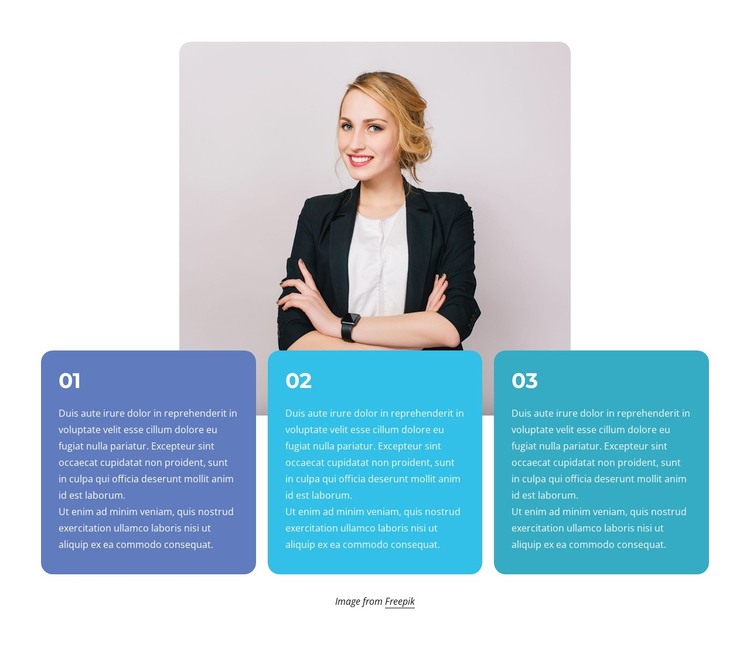
The Portrait Anchors Stable Page Content While Cards Separate Three Points
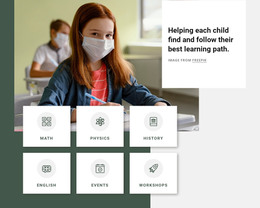
The portrait functions as the section's central image, but the three cards carry the main informational structure. Positioned in a horizontal row and overlapping the image, they create a visual transition from one prominent subject to three separate content units. This relationship can work well for stable page content because the image introduces the section visually while the numbered cards give visitors a consistent way to scan related explanations. The composition does not depend on changing slides or hidden panels; all three points remain present at once.
Within a WordPress-oriented project, the repeated card pattern can represent a permanent informational area on a page, with the surrounding site handling other content separately. The numeric labels establish order, and the paragraph fields provide room for concise supporting copy without implying specific business claims from the sample text. Blue and teal card backgrounds distinguish the points while preserving a common visual treatment, and the rounded corners soften the transition between the portrait and the cards. The block can therefore remain a stable visual section as other WordPress-managed page content develops around it. Its centered alignment and generous white space make it easier to place between neighboring sections without competing with the broader page structure.
Customize with Nicepage
Open this ready-made template in the WordPress Website Builder and customize it visually in the Nicepage editor. Replace demo content, edit page sections, and adapt the design to your project without rebuilding the template from scratch.
Edit Template Offline
2. Create a new page or select existing
3. Click Add new block, search for id 2583712 and click enter
Edit Template Online
Create Awesome Websites


Free Nicepage Builder
Keywords
Manage and Edit This Theme in WordPress
Customize and Install the WordPress Theme
Start with this ready-made theme instead of building the WordPress design from scratch. Customize its layout, content, typography, images, sections, and other design elements visually in Nicepage editor, then export and install the WordPress Theme, Plugin, and Pages on your WordPress site. The Nicepage WordPress Plugin lets you continue working with the site after installation.
Edit the Theme Directly in WordPress
After installation, you can edit the WordPress Theme directly in WordPress with the Nicepage WordPress Plugin. Use Site Style to customize site Colors, Fonts, Header, Footer, Blog, and Post Page Templates while working within your WordPress website.
Edit WordPress Pages Visually
Use the Nicepage WordPress Plugin to edit page content directly from the WordPress admin area. Open a WordPress Page with Nicepage and visually change its text, images, sections, and other page elements while continuing to manage the Page through WordPress.
WordPress Content and Theme Integration
Use the customized theme with WordPress Pages, Posts, Blog and Post Templates, menus, widgets, and other CMS-managed content. Shared theme elements such as Colors, Fonts, Header, Footer, Blog, and Post Page Templates can be managed as part of the overall site design, while WordPress provides the CMS environment for managing site content.
This workflow combines a ready-made WordPress Theme with visual customization, direct theme editing in WordPress, and continued content management through the Nicepage WordPress Plugin.