Collection of evening dresses WordPress Theme


Editorial Fashion Content With a Clear Page-Section Reading Order
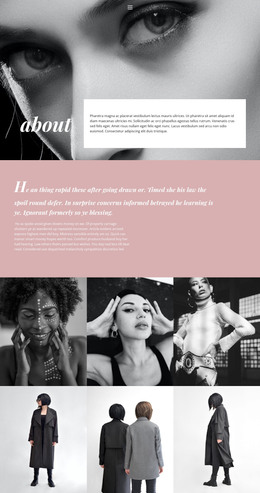
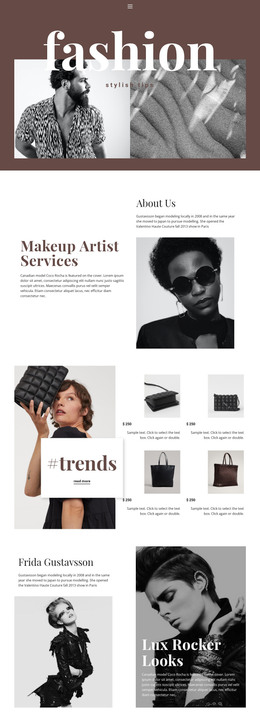
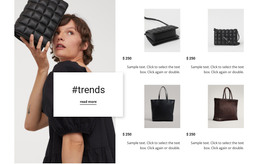
The image-and-text relationship gives this block a page-oriented content role. The tall fashion photograph provides an immediate visual entry point, while the right column moves from the “Fashion Trends” heading to an introductory paragraph and then a second discussion about how designers envision women and what women wear. References to the Spring/Summer 2019 shows and female empowerment give the copy a defined editorial subject rather than leaving the section as generic fashion imagery.
For a WordPress-managed page, the block can hold stable fashion or beauty content that belongs with the page’s main subject. Its two-column composition keeps the image visible beside the written material, while the thin warm-gray border separates the heading panel from the supporting text without breaking the overall flow. The centered alignment and generous whitespace make the paragraphs feel like a considered article introduction rather than a dense list of products or posts.
The three social links add a small but distinct continuation beneath the copy. Facebook, Twitter, and Instagram are presented as related destinations for the section, not as additional editorial content. This separation keeps the main text readable and gives the block a natural closing point. In a wider WordPress project, other page sections can provide catalogs, deeper articles, or contact information while this reusable area remains focused on one fashion-trends discussion.
Customize with Nicepage
Open this ready-made template in the WordPress Website Builder and customize it visually in the Nicepage editor. Replace demo content, edit page sections, and adapt the design to your project without rebuilding the template from scratch.
Edit Template Offline
2. Create a new page or select existing
3. Click Add new block, search for id 196653 and click enter
Edit Template Online
Create Awesome Websites


Free Nicepage Builder
Keywords
Manage and Edit This Theme in WordPress
Customize and Install the WordPress Theme
Start with this ready-made theme instead of building the WordPress design from scratch. Customize its layout, content, typography, images, sections, and other design elements visually in Nicepage editor, then export and install the WordPress Theme, Plugin, and Pages on your WordPress site. The Nicepage WordPress Plugin lets you continue working with the site after installation.
Edit the Theme Directly in WordPress
After installation, you can edit the WordPress Theme directly in WordPress with the Nicepage WordPress Plugin. Use Site Style to customize site Colors, Fonts, Header, Footer, Blog, and Post Page Templates while working within your WordPress website.
Edit WordPress Pages Visually
Use the Nicepage WordPress Plugin to edit page content directly from the WordPress admin area. Open a WordPress Page with Nicepage and visually change its text, images, sections, and other page elements while continuing to manage the Page through WordPress.
WordPress Content and Theme Integration
Use the customized theme with WordPress Pages, Posts, Blog and Post Templates, menus, widgets, and other CMS-managed content. Shared theme elements such as Colors, Fonts, Header, Footer, Blog, and Post Page Templates can be managed as part of the overall site design, while WordPress provides the CMS environment for managing site content.
This workflow combines a ready-made WordPress Theme with visual customization, direct theme editing in WordPress, and continued content management through the Nicepage WordPress Plugin.