Massimo Dutti collection WordPress Theme


Embedded Wordmark and Models Form Stable Page Content
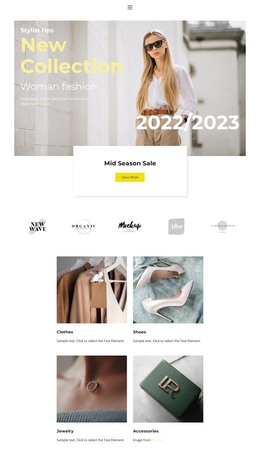
The block’s content reads as a compact, publishable visual statement: two fashion models appear within a wide outdoor photograph, and centered white lettering with a year text overlay is integrated directly into the image. The forested landscape and muted green, brown, blue, and cream palette provide the surrounding context, while the single-image structure keeps the message visually unified. There is no separate form, button, or control to interrupt that presentation.
In a WordPress-managed page, this section can function as stable brand or collection content rather than as a complete theme or independent site structure. It can remain a recognizable visual area while adjacent page content supplies descriptions, catalog details, editorial material, or response actions. The section’s limited content model also makes its role easy to preserve when the wider project is updated: the photograph carries the subject, the two figures provide the human focus, and the overlaid lettering supplies the identity cue.
Because the interaction is static, the block does not depend on a carousel or expandable interface to communicate its purpose. Its value within page content comes from concentration and visual continuity. A WordPress-oriented project can therefore use it as a stable presentation layer while the surrounding CMS-managed areas handle changing information and broader site organization.
Customize with Nicepage
Open this ready-made template in the WordPress Website Builder and customize it visually in the Nicepage editor. Replace demo content, edit page sections, and adapt the design to your project without rebuilding the template from scratch.
Edit Template Offline
2. Create a new page or select existing
3. Click Add new block, search for id 41726 and click enter
Edit Template Online
Create Awesome Websites


Free Nicepage Builder
Keywords
Manage and Edit This Theme in WordPress
Customize and Install the WordPress Theme
Start with this ready-made theme instead of building the WordPress design from scratch. Customize its layout, content, typography, images, sections, and other design elements visually in Nicepage editor, then export and install the WordPress Theme, Plugin, and Pages on your WordPress site. The Nicepage WordPress Plugin lets you continue working with the site after installation.
Edit the Theme Directly in WordPress
After installation, you can edit the WordPress Theme directly in WordPress with the Nicepage WordPress Plugin. Use Site Style to customize site Colors, Fonts, Header, Footer, Blog, and Post Page Templates while working within your WordPress website.
Edit WordPress Pages Visually
Use the Nicepage WordPress Plugin to edit page content directly from the WordPress admin area. Open a WordPress Page with Nicepage and visually change its text, images, sections, and other page elements while continuing to manage the Page through WordPress.
WordPress Content and Theme Integration
Use the customized theme with WordPress Pages, Posts, Blog and Post Templates, menus, widgets, and other CMS-managed content. Shared theme elements such as Colors, Fonts, Header, Footer, Blog, and Post Page Templates can be managed as part of the overall site design, while WordPress provides the CMS environment for managing site content.
This workflow combines a ready-made WordPress Theme with visual customization, direct theme editing in WordPress, and continued content management through the Nicepage WordPress Plugin.