Traveling resets the brain WordPress Theme


A Travel Topic Becomes One Clear WordPress Page Section
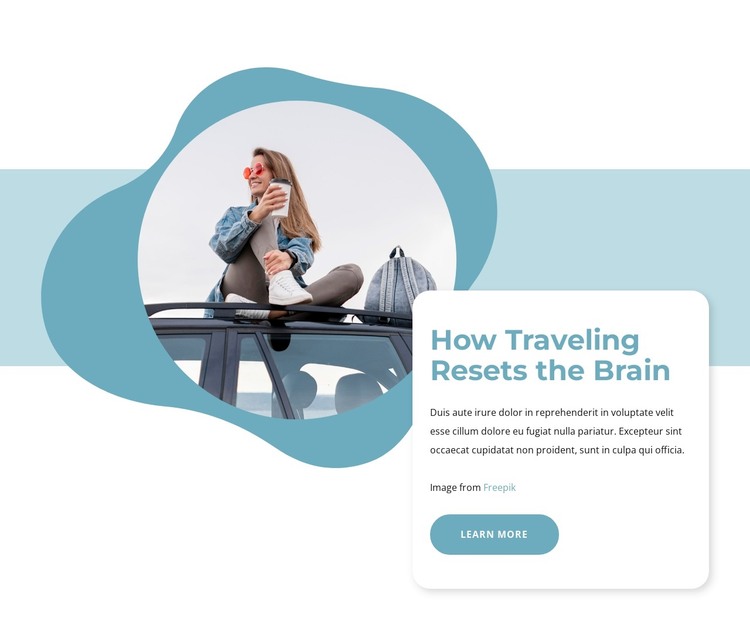
The heading and supporting paragraph give this block the character of stable page content rather than a collection of unrelated promotional items. “How Traveling Resets the Brain” names one travel topic, while the accompanying paragraph creates space for an explanation. A single “Learn more” button provides a continuation point, and the image credit remains part of the same text group rather than becoming a separate content area.
The visual arrangement supports that content model. On the left, a circular photograph shows a woman seated on the roof of a vehicle with luggage visible. An organic blue shape surrounds the image, and a pale blue horizontal backdrop extends behind the composition. On the right, a white rounded card overlaps the image and gives the heading and copy a distinct reading surface. The large blue typography and matching button make the topic easy to identify, while the soft shadow separates the card from the image-led background.
In a WordPress-managed project, this block can serve as a reusable section on a travel-oriented page or article presentation. The broader site can place other publishable content before or after it, while this section preserves one focused relationship between image, topic, explanation, and next-step link. It is therefore suited to a page that needs a visually defined travel feature without requiring the section itself to carry the full site structure or all surrounding content.
Customize with Nicepage
Open this ready-made template in the WordPress Website Builder and customize it visually in the Nicepage editor. Replace demo content, edit page sections, and adapt the design to your project without rebuilding the template from scratch.
Edit Template Offline
2. Create a new page or select existing
3. Click Add new block, search for id 1681042 and click enter
Edit Template Online
Create Awesome Websites


Free Nicepage Builder
Keywords
Manage and Edit This Theme in WordPress
Customize and Install the WordPress Theme
Start with this ready-made theme instead of building the WordPress design from scratch. Customize its layout, content, typography, images, sections, and other design elements visually in Nicepage editor, then export and install the WordPress Theme, Plugin, and Pages on your WordPress site. The Nicepage WordPress Plugin lets you continue working with the site after installation.
Edit the Theme Directly in WordPress
After installation, you can edit the WordPress Theme directly in WordPress with the Nicepage WordPress Plugin. Use Site Style to customize site Colors, Fonts, Header, Footer, Blog, and Post Page Templates while working within your WordPress website.
Edit WordPress Pages Visually
Use the Nicepage WordPress Plugin to edit page content directly from the WordPress admin area. Open a WordPress Page with Nicepage and visually change its text, images, sections, and other page elements while continuing to manage the Page through WordPress.
WordPress Content and Theme Integration
Use the customized theme with WordPress Pages, Posts, Blog and Post Templates, menus, widgets, and other CMS-managed content. Shared theme elements such as Colors, Fonts, Header, Footer, Blog, and Post Page Templates can be managed as part of the overall site design, while WordPress provides the CMS environment for managing site content.
This workflow combines a ready-made WordPress Theme with visual customization, direct theme editing in WordPress, and continued content management through the Nicepage WordPress Plugin.