Green bathroom WordPress Theme


Permanent Interior Content With a Distinct Visual Anchor
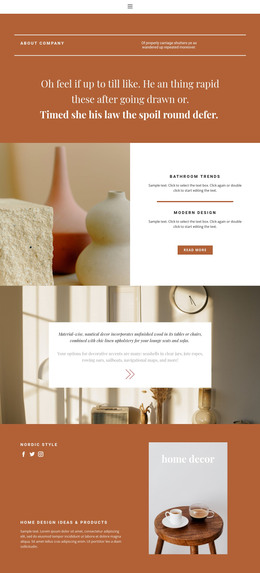
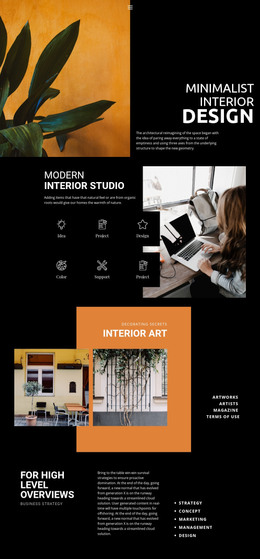
The “warm and relaxing” heading and its supporting paragraph read as stable descriptive content for an interior concept. References to unfinished wood, linen upholstery, seashells, jute ropes, rowing oars, and navigational maps give the section a defined material and decorative vocabulary rather than a generic feature list. The two lower items, labeled “bathroom” and “details,” then divide that concept into smaller page-content units, with line-style icons helping each label stand apart.
The right-side image panel gives the content a second mode of presentation. Its bathroom photograph is tinted muted blue-green, while the large “Green Bathroom” title overlays the lower portion of the image. This creates a dependable visual anchor for a WordPress-managed page: the explanatory copy remains easy to scan on the left, and the image region communicates the subject at a glance. The block can suit permanent page content for an interior-design concept, a bathroom feature, or a related decor presentation, while other CMS-managed content surrounds it.
In a WordPress-oriented project, the section remains one reusable content area within a wider theme and page structure. Its usefulness comes from the relationship between descriptive text, two labeled details, and a titled photograph. Those parts can be maintained as page content without changing the block’s central split arrangement or presenting the section as a complete WordPress Theme.
Customize with Nicepage
Open this ready-made template in the WordPress Website Builder and customize it visually in the Nicepage editor. Replace demo content, edit page sections, and adapt the design to your project without rebuilding the template from scratch.
Edit Template Offline
2. Create a new page or select existing
3. Click Add new block, search for id 159321 and click enter
Edit Template Online
Create Awesome Websites


Free Nicepage Builder
Keywords
Manage and Edit This Theme in WordPress
Customize and Install the WordPress Theme
Start with this ready-made theme instead of building the WordPress design from scratch. Customize its layout, content, typography, images, sections, and other design elements visually in Nicepage editor, then export and install the WordPress Theme, Plugin, and Pages on your WordPress site. The Nicepage WordPress Plugin lets you continue working with the site after installation.
Edit the Theme Directly in WordPress
After installation, you can edit the WordPress Theme directly in WordPress with the Nicepage WordPress Plugin. Use Site Style to customize site Colors, Fonts, Header, Footer, Blog, and Post Page Templates while working within your WordPress website.
Edit WordPress Pages Visually
Use the Nicepage WordPress Plugin to edit page content directly from the WordPress admin area. Open a WordPress Page with Nicepage and visually change its text, images, sections, and other page elements while continuing to manage the Page through WordPress.
WordPress Content and Theme Integration
Use the customized theme with WordPress Pages, Posts, Blog and Post Templates, menus, widgets, and other CMS-managed content. Shared theme elements such as Colors, Fonts, Header, Footer, Blog, and Post Page Templates can be managed as part of the overall site design, while WordPress provides the CMS environment for managing site content.
This workflow combines a ready-made WordPress Theme with visual customization, direct theme editing in WordPress, and continued content management through the Nicepage WordPress Plugin.