Our interior services WordPress Theme


Service Descriptions Give WordPress Page Content a Clear Visual Pattern
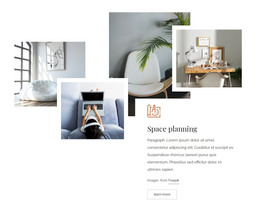
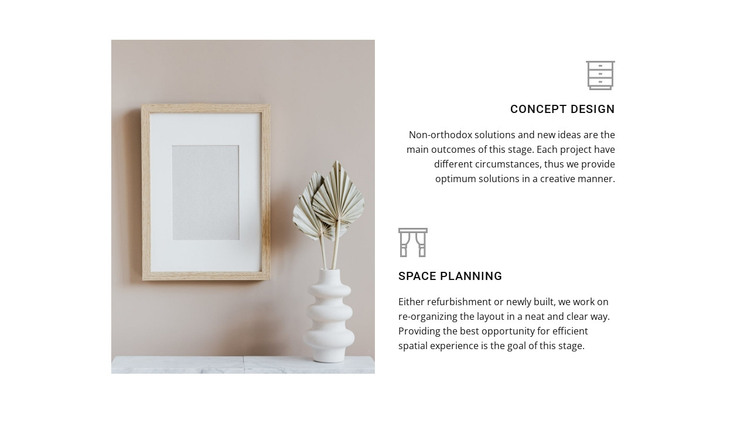
The two service items read as stable page content rather than a stream of dated updates. Concept Design presents new ideas and project-specific solutions, while Space Planning explains the reorganization of layouts for refurbishment or newly built spaces. This distinction gives a WordPress-oriented page a focused way to describe related services while keeping each offering visually and verbally identifiable.
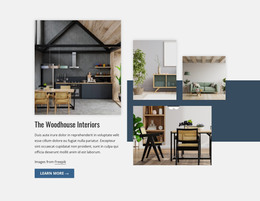
The content is arranged beside one large interior photograph, creating a deliberate relationship between visual reference and written explanation. On the right, the repeated icon, title, and paragraph structure helps readers compare the two offerings without relying on bordered cards or a dense grid. The vertical spacing also keeps the descriptions separate, so the longer explanation for one service does not merge visually with the other.
In a WordPress-managed project, the block can remain a permanent services section on a page while the wider site accommodates other content areas around it. It may support a services page or a related information page, with additional blocks handling project examples, background information, or contact details. The light neutral palette and restrained typography provide a consistent visual treatment for this section, while its specific two-service content keeps the design tied to interior work rather than making it a generic CMS content region.
Customize with Nicepage
Open this ready-made template in the WordPress Website Builder and customize it visually in the Nicepage editor. Replace demo content, edit page sections, and adapt the design to your project without rebuilding the template from scratch.
Edit Template Offline
2. Create a new page or select existing
3. Click Add new block, search for id 125331 and click enter
Edit Template Online
Create Awesome Websites


Free Nicepage Builder
Keywords
Manage and Edit This Theme in WordPress
Customize and Install the WordPress Theme
Start with this ready-made theme instead of building the WordPress design from scratch. Customize its layout, content, typography, images, sections, and other design elements visually in Nicepage editor, then export and install the WordPress Theme, Plugin, and Pages on your WordPress site. The Nicepage WordPress Plugin lets you continue working with the site after installation.
Edit the Theme Directly in WordPress
After installation, you can edit the WordPress Theme directly in WordPress with the Nicepage WordPress Plugin. Use Site Style to customize site Colors, Fonts, Header, Footer, Blog, and Post Page Templates while working within your WordPress website.
Edit WordPress Pages Visually
Use the Nicepage WordPress Plugin to edit page content directly from the WordPress admin area. Open a WordPress Page with Nicepage and visually change its text, images, sections, and other page elements while continuing to manage the Page through WordPress.
WordPress Content and Theme Integration
Use the customized theme with WordPress Pages, Posts, Blog and Post Templates, menus, widgets, and other CMS-managed content. Shared theme elements such as Colors, Fonts, Header, Footer, Blog, and Post Page Templates can be managed as part of the overall site design, while WordPress provides the CMS environment for managing site content.
This workflow combines a ready-made WordPress Theme with visual customization, direct theme editing in WordPress, and continued content management through the Nicepage WordPress Plugin.