Quality auto repair shop WordPress Theme


Permanent Services Content With a Strong Visual Entry Point
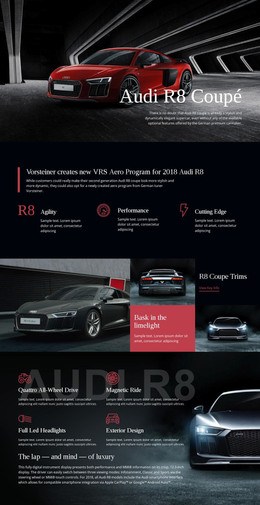
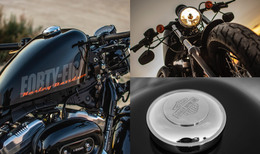
The service heading and supporting paragraph give this block the character of stable page content: they describe scheduled maintenance, bodywork, and complete restorations rather than presenting a time-sensitive update. The dark sports car photograph supplies an immediate visual cue, and the bright yellow panel keeps the service information grouped with the outlined Read more button. Together, these regions create a compact services area that can remain visually consistent on an automotive repair page managed through WordPress.
A WordPress-oriented project can use the section alongside deeper service descriptions, workshop information, testimonials, or contact content. The block does not need to contain a blog structure or dynamic post list to be useful; its role is a publishable visual section whose heading, image, explanatory copy, and action can be maintained as part of broader page content. The existing split layout also gives the section a recognizable identity when several page regions share the same site.
Nicepage supports WordPress workflows for working with themes, plugins, and page content, but the block should be understood at its own scope. Its content remains the automotive image, repair-service message, and Read more destination. The surrounding WordPress project determines how this section is placed, edited, and coordinated with other content areas.
Customize with Nicepage
Open this ready-made template in the WordPress Website Builder and customize it visually in the Nicepage editor. Replace demo content, edit page sections, and adapt the design to your project without rebuilding the template from scratch.
Edit Template Offline
2. Create a new page or select existing
3. Click Add new block, search for id 56066 and click enter
Edit Template Online
Create Awesome Websites


Free Nicepage Builder
Keywords
Use This Block in a WordPress-Managed Website
Keep the Block as Page Content
Use the block as one content/layout section inside a WordPress-oriented site rather than treating the Block ID as a complete WordPress Theme. Its verified text, images, repeated items, forms, galleries, or other elements can remain part of permanent page content while WordPress manages the wider site.
Work With Nicepage and WordPress
A Nicepage WordPress project can be installed using the WordPress Theme, Plugin, and Pages workflow. After installation, the same visual section can participate in WordPress-managed pages as part of the broader theme/site structure.
Continue Editing in WordPress
Nicepage supports editing the WordPress Theme directly in WordPress. Use WordPress Pages, Posts, Blog structures, and other CMS concepts only when they are relevant to the surrounding project; their existence must not be inferred from the analyzed block alone.
This workflow keeps the block's verified section function separate from the WordPress theme architecture while allowing it to participate in a CMS-managed website.