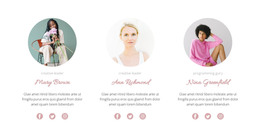
The female part of the team WordPress Theme


Three Repeated Testimonials as Stable WordPress Page Content
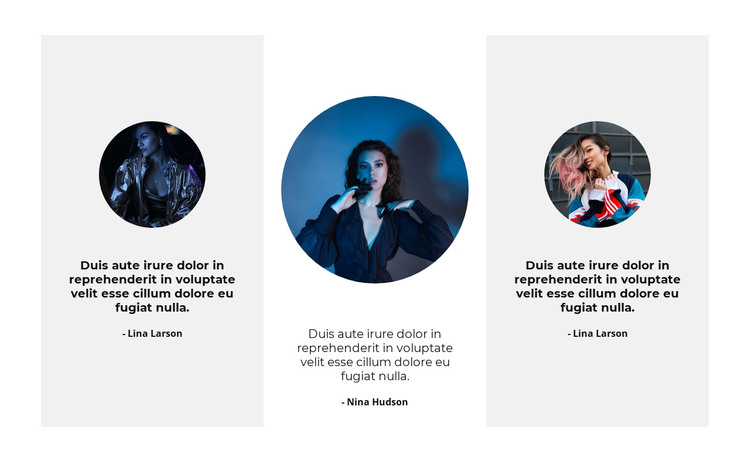
The block organizes testimonial content into three stable page-oriented units. A circular portrait introduces each item, the centered quote carries its main message, and the person-name label identifies the speaker beneath it. Repeating this sequence across three columns gives the section a predictable reading pattern that fits permanent testimonial content on a WordPress-managed page. It is more than a single quotation, but it remains focused enough to work as one section among other page content.
The contrast between the light-gray outer cards and the white center card creates visual grouping without changing the meaning of the three items. Bold dark quote text draws attention to the endorsement itself, while the lighter names act as supporting labels. Since the interaction is static, the content is presented directly rather than dependent on a slider, tab control, or click-to-expand behavior. This keeps the complete three-item set available as visitors move through the page.
In a WordPress-oriented project, the section can provide a consistent testimonial area within broader publishable page content. The surrounding site may contain services, introductions, or contact sections, while this block concentrates on trust and personal perspective. Its repeated card structure can remain visually stable even as the wider project develops, without turning the block itself into a complete WordPress Theme.
Customize with Nicepage
Open this ready-made template in the WordPress Website Builder and customize it visually in the Nicepage editor. Replace demo content, edit page sections, and adapt the design to your project without rebuilding the template from scratch.
Edit Template Offline
2. Create a new page or select existing
3. Click Add new block, search for id 1033213 and click enter
Edit Template Online
Create Awesome Websites


Free Nicepage Builder
Keywords
Manage and Edit This Theme in WordPress
Customize and Install the WordPress Theme
Start with this ready-made theme instead of building the WordPress design from scratch. Customize its layout, content, typography, images, sections, and other design elements visually in Nicepage editor, then export and install the WordPress Theme, Plugin, and Pages on your WordPress site. The Nicepage WordPress Plugin lets you continue working with the site after installation.
Edit the Theme Directly in WordPress
After installation, you can edit the WordPress Theme directly in WordPress with the Nicepage WordPress Plugin. Use Site Style to customize site Colors, Fonts, Header, Footer, Blog, and Post Page Templates while working within your WordPress website.
Edit WordPress Pages Visually
Use the Nicepage WordPress Plugin to edit page content directly from the WordPress admin area. Open a WordPress Page with Nicepage and visually change its text, images, sections, and other page elements while continuing to manage the Page through WordPress.
WordPress Content and Theme Integration
Use the customized theme with WordPress Pages, Posts, Blog and Post Templates, menus, widgets, and other CMS-managed content. Shared theme elements such as Colors, Fonts, Header, Footer, Blog, and Post Page Templates can be managed as part of the overall site design, while WordPress provides the CMS environment for managing site content.
This workflow combines a ready-made WordPress Theme with visual customization, direct theme editing in WordPress, and continued content management through the Nicepage WordPress Plugin.