Meet the hosting team WordPress Theme


Stable Team Content With a Clear Page-Section Hierarchy
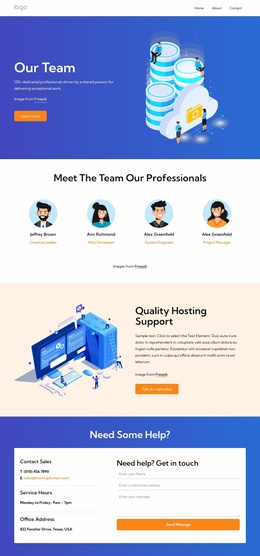
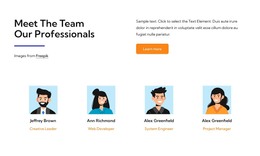
The heading and introductory row make this block read as stable team information rather than a stream of time-sensitive updates. “Meet The Team Our Professionals” identifies the content area immediately, while the two-column arrangement divides the opening statement from the supporting paragraph and Learn more button. That hierarchy gives a WordPress-oriented page a focused staff section that can remain visually consistent as the broader site develops around it.
Four profile items then extend the introduction with a repeated content pattern. Each profile combines an illustrated portrait, a name, and a role label, allowing the section to present several people in a compact horizontal row. The shared arrangement makes the items easy to compare and keeps the visual emphasis balanced across the group. The blue divider supports the heading, the orange button marks the available continuation, and muted gold labels add a secondary layer of information beneath each name.
As WordPress-managed page content, this block can support a stable team or company section while other site areas handle longer biographies, news, services, or contact information. The section itself remains one reusable content region rather than a complete WordPress Theme. Its strongest contribution is the combination of a concise introductory message with four consistently formatted staff profiles.
Customize with Nicepage
Open this ready-made template in the WordPress Website Builder and customize it visually in the Nicepage editor. Replace demo content, edit page sections, and adapt the design to your project without rebuilding the template from scratch.
Edit Template Offline
2. Create a new page or select existing
3. Click Add new block, search for id 6375879 and click enter
Edit Template Online
Create Awesome Websites


Free Nicepage Builder
Keywords
Manage and Edit This Theme in WordPress
Customize and Install the WordPress Theme
Start with this ready-made theme instead of building the WordPress design from scratch. Customize its layout, content, typography, images, sections, and other design elements visually in Nicepage editor, then export and install the WordPress Theme, Plugin, and Pages on your WordPress site. The Nicepage WordPress Plugin lets you continue working with the site after installation.
Edit the Theme Directly in WordPress
After installation, you can edit the WordPress Theme directly in WordPress with the Nicepage WordPress Plugin. Use Site Style to customize site Colors, Fonts, Header, Footer, Blog, and Post Page Templates while working within your WordPress website.
Edit WordPress Pages Visually
Use the Nicepage WordPress Plugin to edit page content directly from the WordPress admin area. Open a WordPress Page with Nicepage and visually change its text, images, sections, and other page elements while continuing to manage the Page through WordPress.
WordPress Content and Theme Integration
Use the customized theme with WordPress Pages, Posts, Blog and Post Templates, menus, widgets, and other CMS-managed content. Shared theme elements such as Colors, Fonts, Header, Footer, Blog, and Post Page Templates can be managed as part of the overall site design, while WordPress provides the CMS environment for managing site content.
This workflow combines a ready-made WordPress Theme with visual customization, direct theme editing in WordPress, and continued content management through the Nicepage WordPress Plugin.